Photography.
Perfected.

Apex Lucis is the complete platform for professional photographers — business management, location intelligence, and live environmental data, all in one beautifully integrated app.

Works across all your Apple devices. iPhone, iPad and Mac.

scroll
Business

Run your business.
Not spreadsheets.

Everything from first enquiry to final invoice, designed for how photographers actually work.

Lead Management

From enquiry
to confirmed booking.

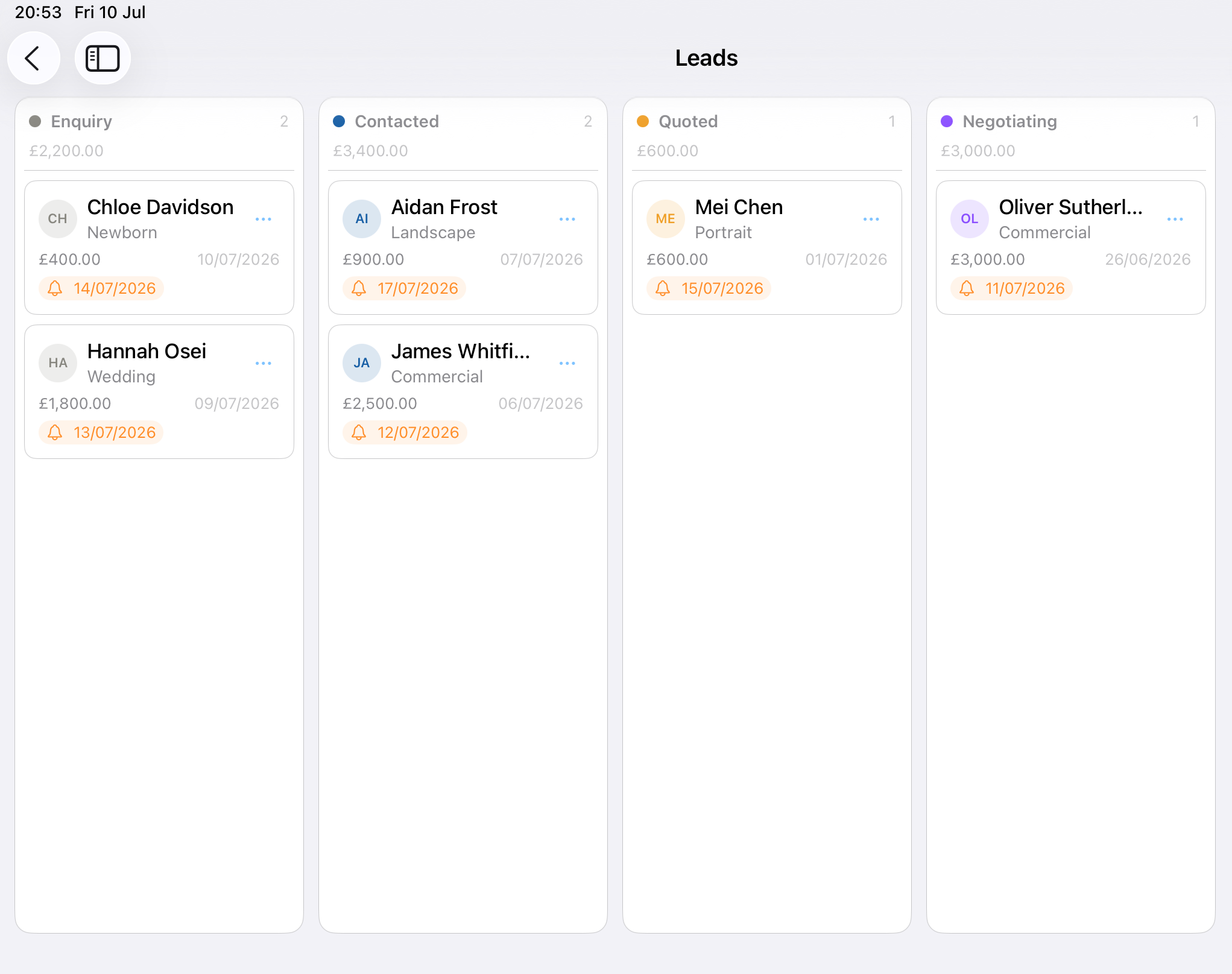
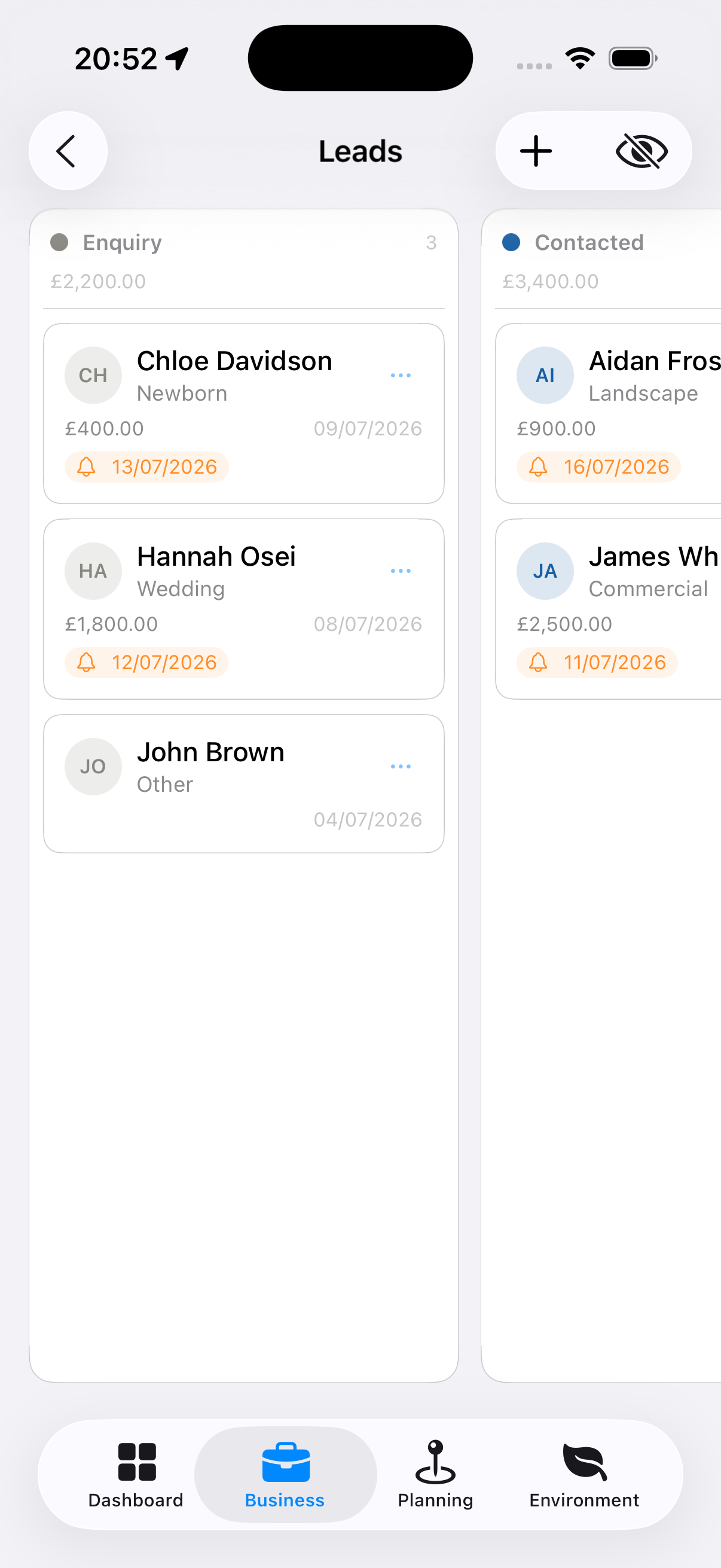
The Kanban pipeline moves leads through every stage — Enquiry, Contacted, Quoted, Won — giving you a clear view of your pipeline value at any moment.

  • Visual pipeline with drag-to-advance stages
  • Quote builder with package pricing
  • PDF contract generation with signed-status tracking
  • One-tap conversion from lead to confirmed booking
  • Hot lead alerts for enquiries within 48 hours
iPhone iPad/Mac
Leads
iPhone
Bookings & Invoicing

Paid on time.
Every time.

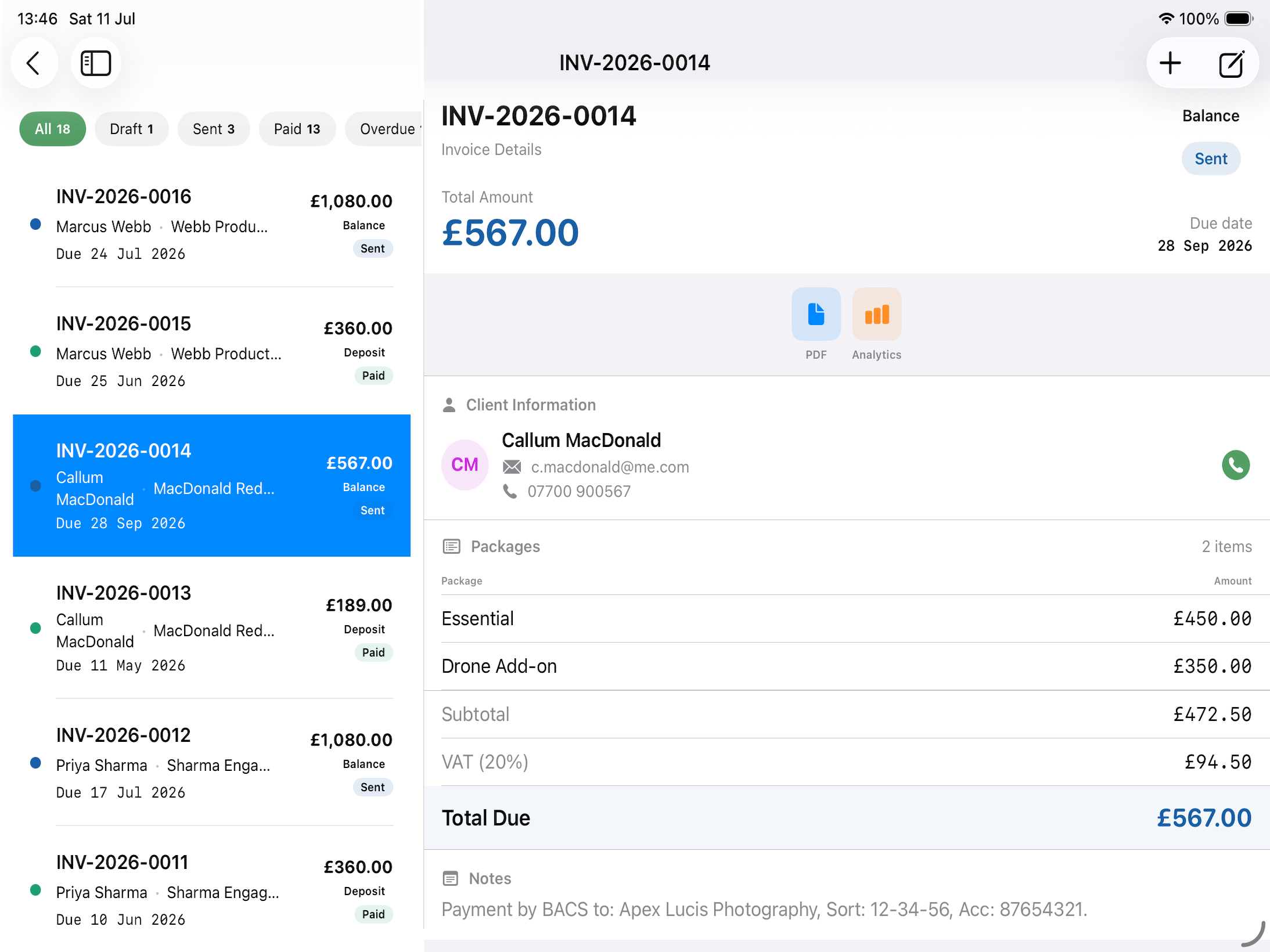
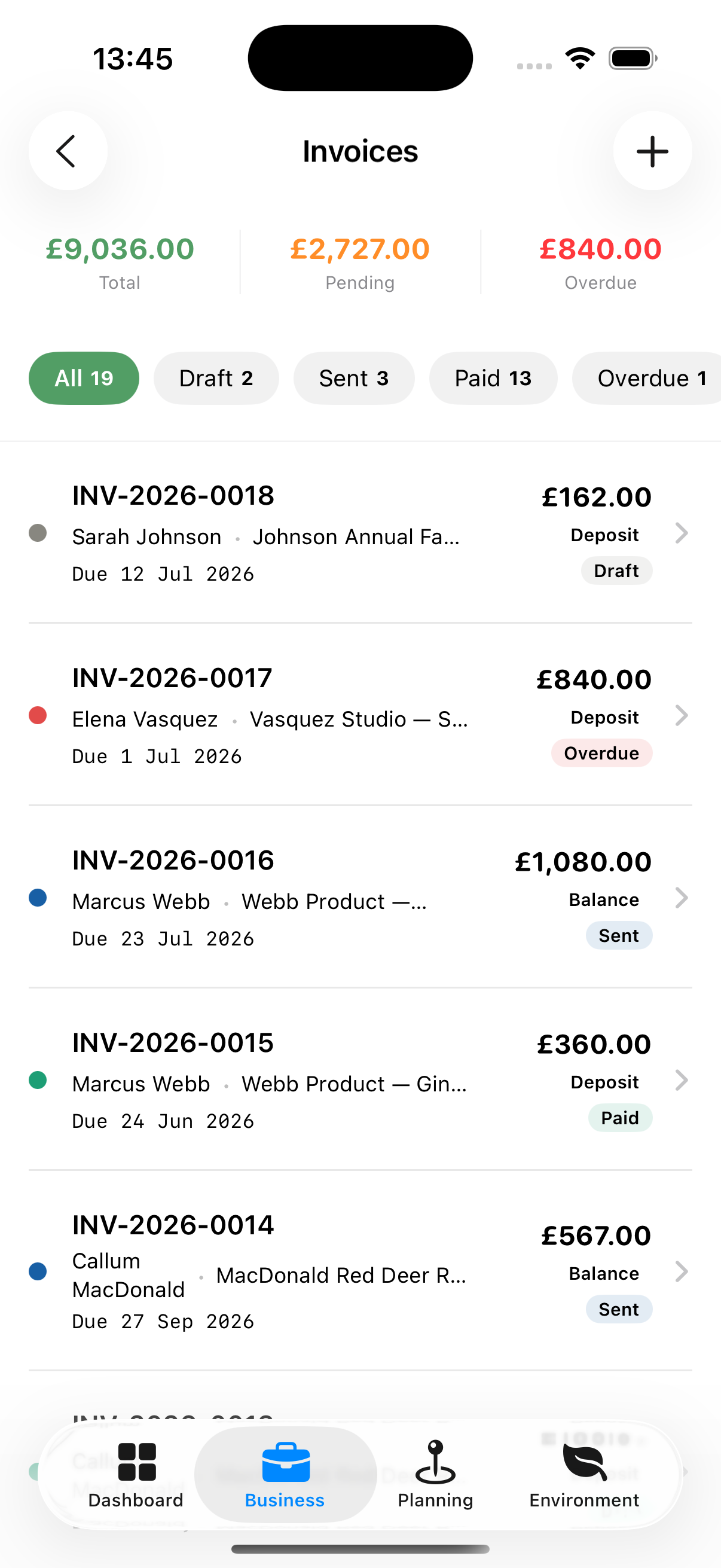
Booking management with EventKit calendar sync, automated invoice generation, and overdue payment alerts so nothing slips through the cracks.

  • Calendar sync with reminders for shoot day
  • Invoice status tracking: Draft, Sent, Paid, Overdue
  • Revenue dashboard with month-on-month comparison
  • Contact hub for clients, vendors, and collaborators
  • Package pricing with configurable rates
iPhone iPad/Mac
Invoices
iPhone
calendar_month

Bookings

Bookings are the core of your photography business in Apex Lucis. A booking represents a confirmed (or tentative) shoot engagement, linking together the client, location, crew, equipment, invoice, contract, and environmental conditions all in one place.

frame_person

Clients

The Clients section stores everyone you shoot for. Each client has a contact profile, booking history, and interaction timeline.

manage_accounts

Contacts

Contacts is your directory of people you work *with* — crew members, freelancers, models, suppliers, and vendors. Unlike Clients (who hire you), Contacts are people you hire or collaborate with.

universal_currency

Expenses

Track every business cost — from travel and permits to gear purchases and studio hire. Apex Lucis categorises expenses, tracks which are tax-deductible, and includes them in P&L reports.

analytics

Insights

Insights provides deeper analytics than Profit and Loss, with a focus on business performance trends, lead pipeline health, and operational metrics.

Requires Apex Lucis Pro
receipt

Invoices

Apex Lucis generates professional invoices with your company branding, itemised packages, tax calculation, and payment details.

inbox

Leads

A Lead represents a potential booking — someone who has expressed interest but is not yet confirmed. Leads move through a pipeline until they are either won (converted to a booking) or lost.

package_2

Packages

Packages are reusable pricing templates. Instead of pricing each booking from scratch, you define your standard offerings once and apply them to bookings.

show_chart

Profit and Loss

The Profit and Loss screen gives you a complete picture of your photography business's financial health — revenue, expenses, and profit — for any time period.
Requires Apex Lucis Pro
Planning

Be in the right place
at the right moment.

Precision tools that put you in exactly the right spot when the light is perfect.

Location Scout

Know where you are shooting

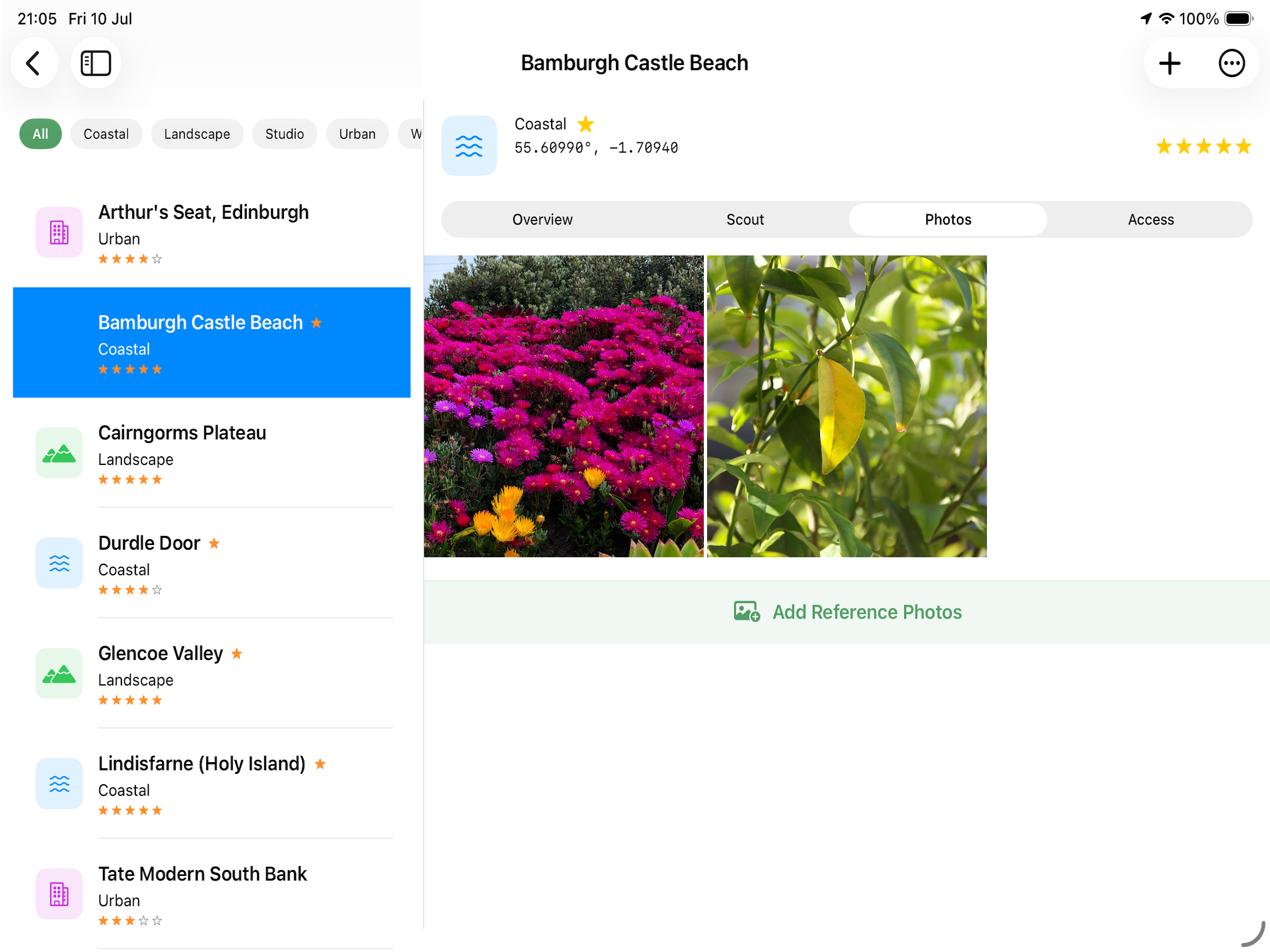
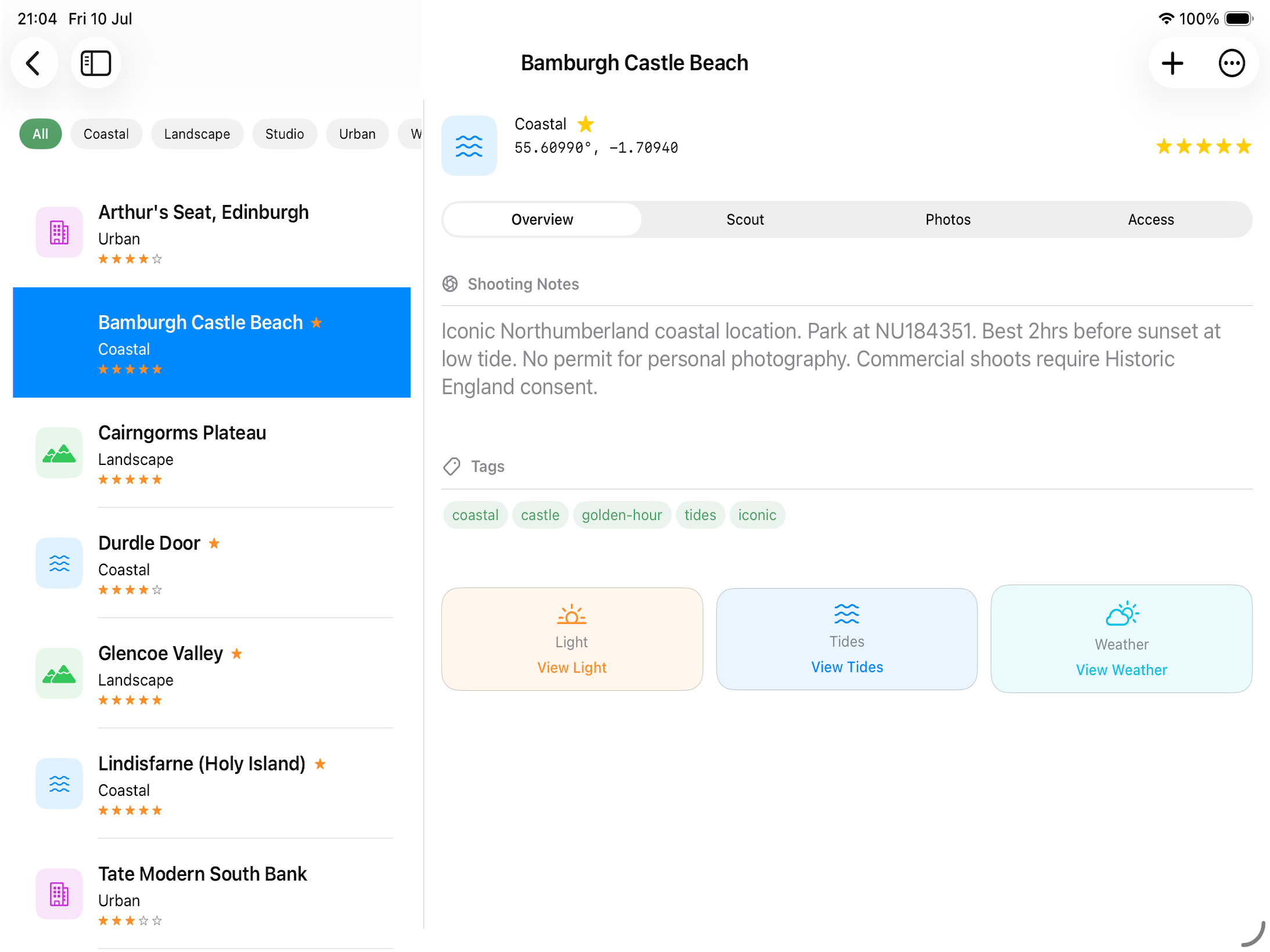
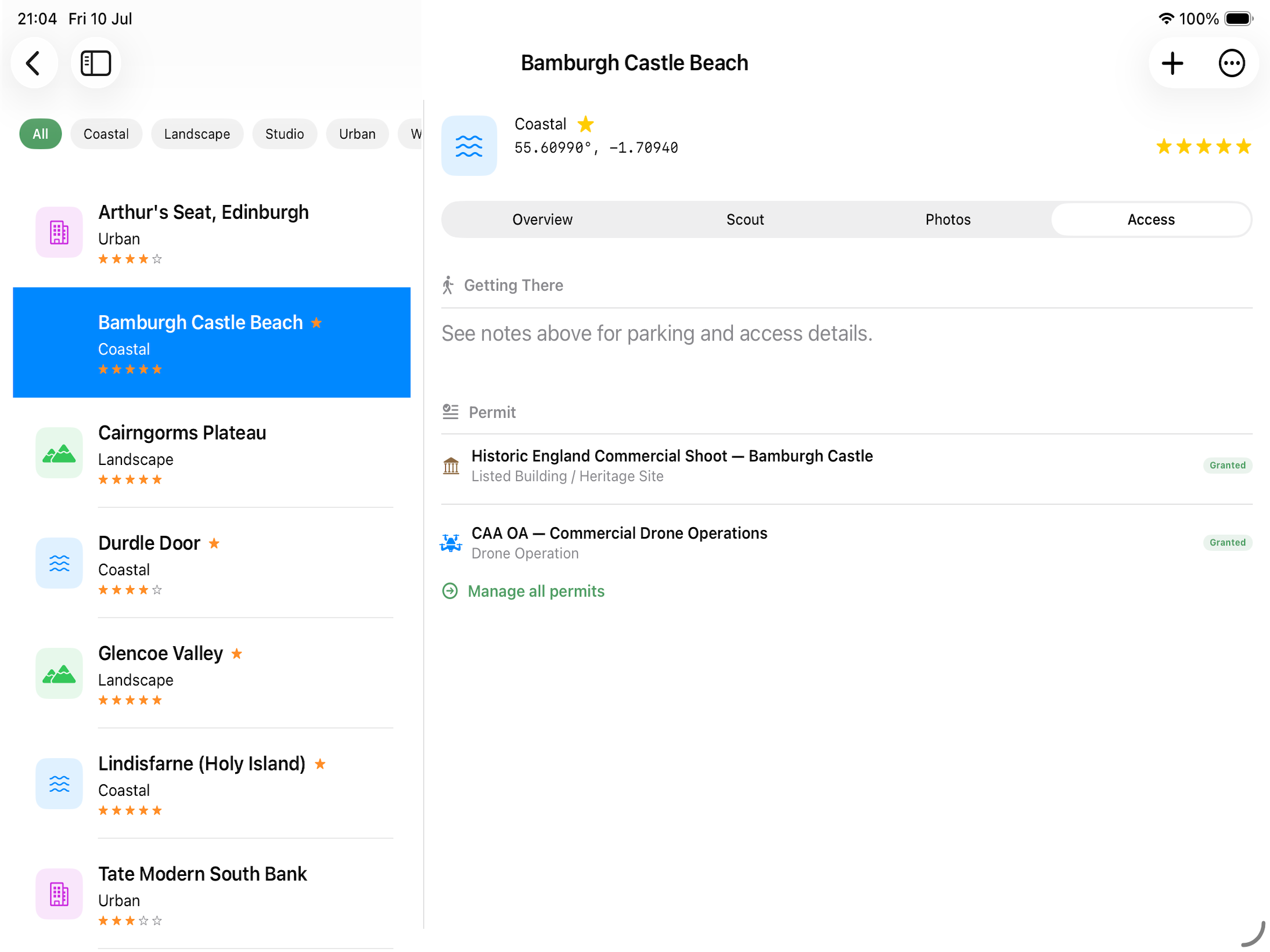
The Locations module lets you plan everything you need to know about a location before you visit.

  • Address with Longitude and Latitude
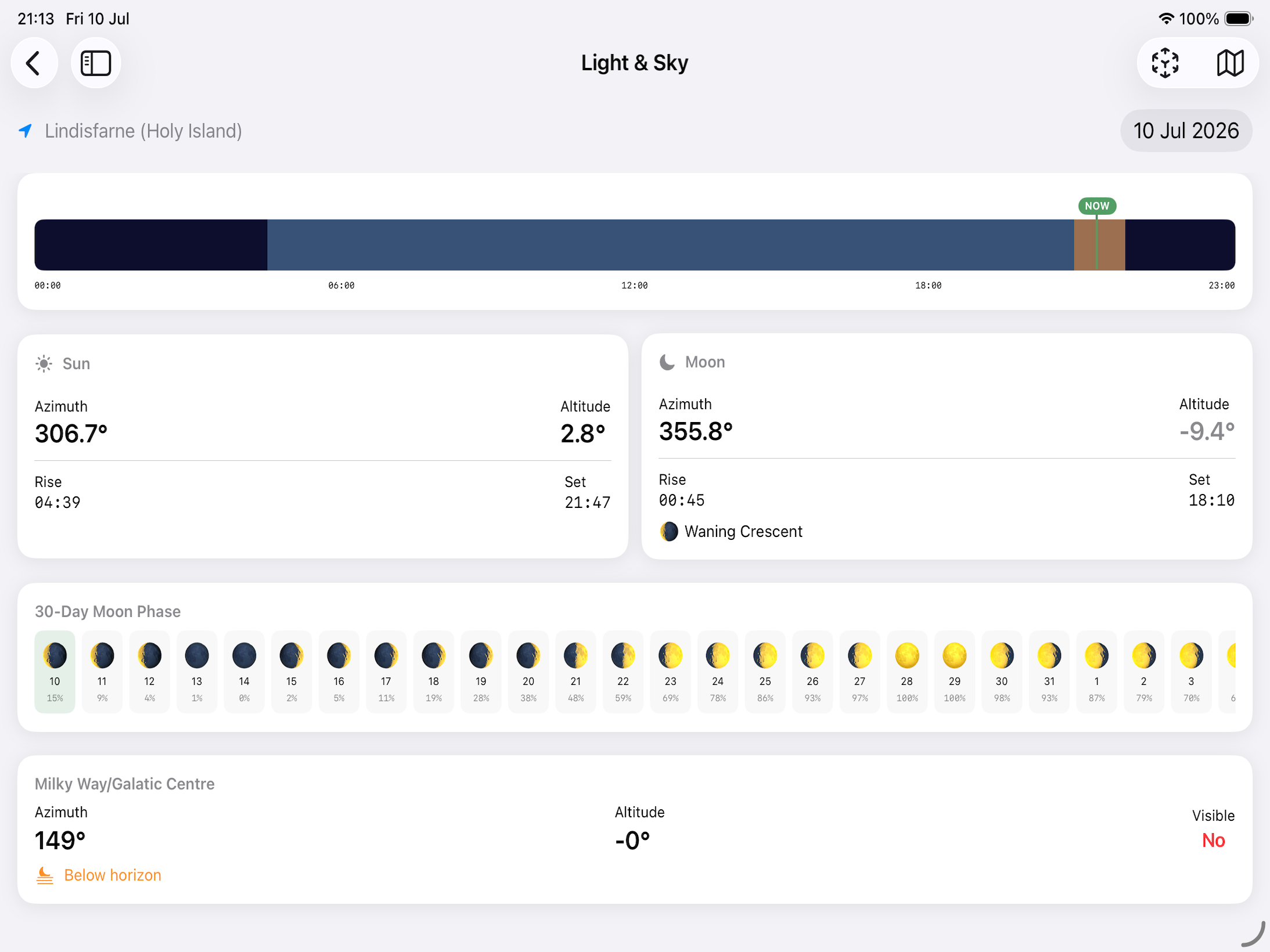
  • Check the light, weather, tides and wildlife
  • Store Photos against a location to be used for reference
  • Manage notes, and access information, including parking
  • See all permits registered for the location
One Two Three
Location Scout
iPhone
Moon alignment

Plan that moon shot before leaving home.

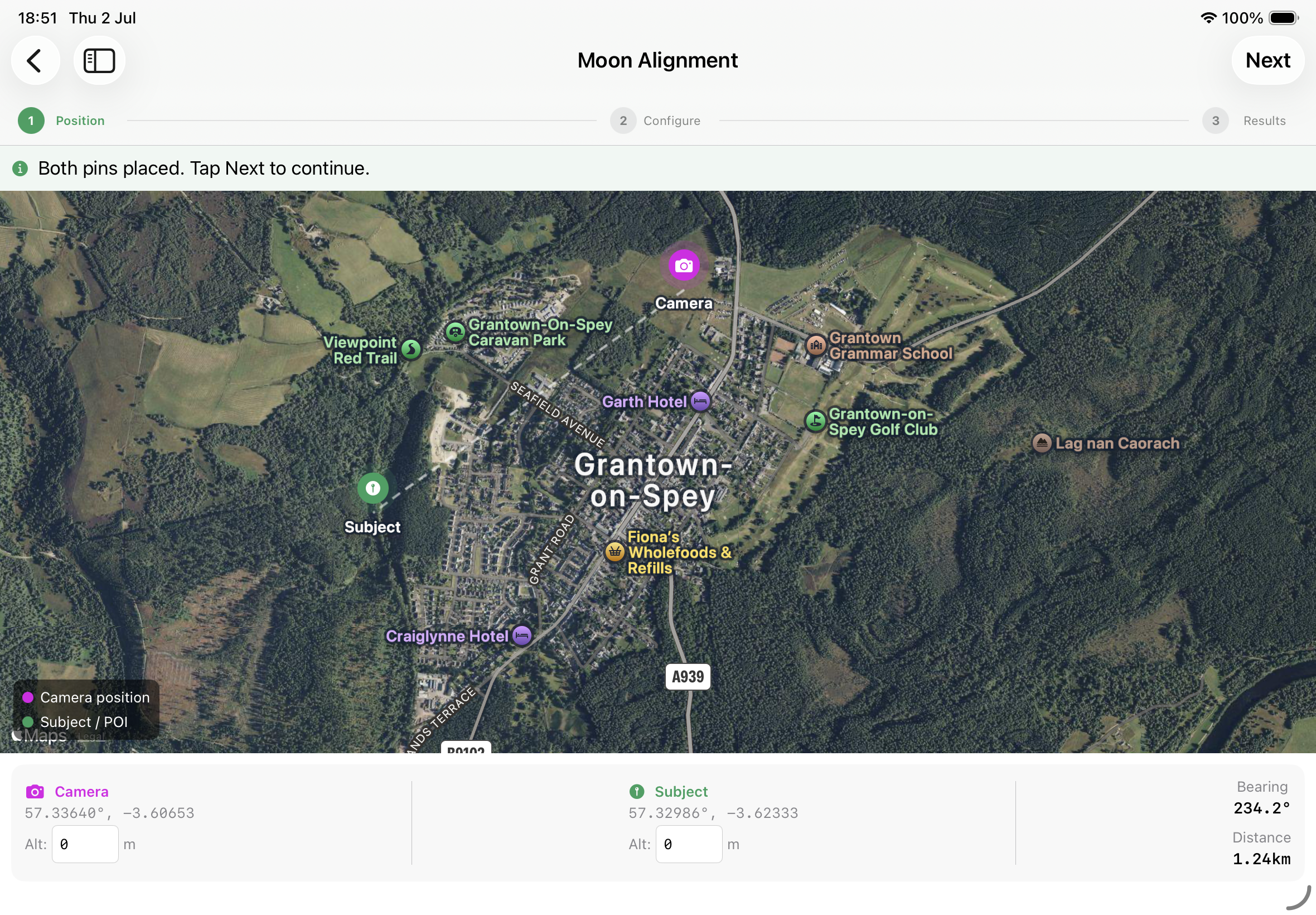
Moon Alignment lets you see the best time to visit a location to get the moon exactly where you need it.

  • Set where you want to stand, and what subject you want to have in-front of the moon
  • Set a date range to get the best times
  • Decide what lens you are using, to understand how big the moon will be in the frame
  • Set your tolerances
Moon Alignment
format_list_numbered

Call Sheets

A call sheet is a day-of-shoot schedule. It lists who needs to be where, when, and what they'll be doing — broken into time slots, each with a crew list, location, and attached shot list.

person_text

Crew and Models

The Crew section (accessible from within a booking's detail) manages the roster of people assigned to a specific shoot — their roles, fees, and model releases.

photo_camera

Equipment Manager

Track all your photography equipment — what you own, its condition, when it was last serviced, and what insurance covers it. Group gear into kits for quick assignment to shoots.

location_on

Locations

Your location library. Every place you photograph, scout, or want to remember goes here. Locations can be linked to bookings, environmental data, and moon alignment calculations.

moon_stars

Moon Alignment

Moon Alignment solves one of landscape photography's most complex planning problems: working out the exact date, time, and camera position needed to photograph the moon rising or setting behind a specific subject, framed at a specific size in the image.

Requires Apex Lucis Pro
license

Permits

Many photography locations — especially public spaces, parks, beaches, historic buildings, and commercial areas — require permits for professional photography. The Permits manager tracks your applications, their status, conditions, and expiry dates.

list_alt_check

Shot Lists

A shot list is a pre-planned inventory of individual photographs you intend to capture on a shoot. Planning shots in advance ensures you don't miss anything important and helps you brief your crew efficiently.

camera_indoor

Studio Hire

If you hire a commercial photography studio rather than shooting on location, Studio Bookings tracks the reservation, the space specifications, and any equipment hired from the studio.

flight_takeoff

Trip Manager

If a shoot requires travel — flying to a location, staying overnight, driving significant distances — the Trip Planner tracks your accommodation and travel legs in one place, calculates mileage claims, and keeps all costs in view.

Environmental Intelligence

The conditions.
Before you leave home.

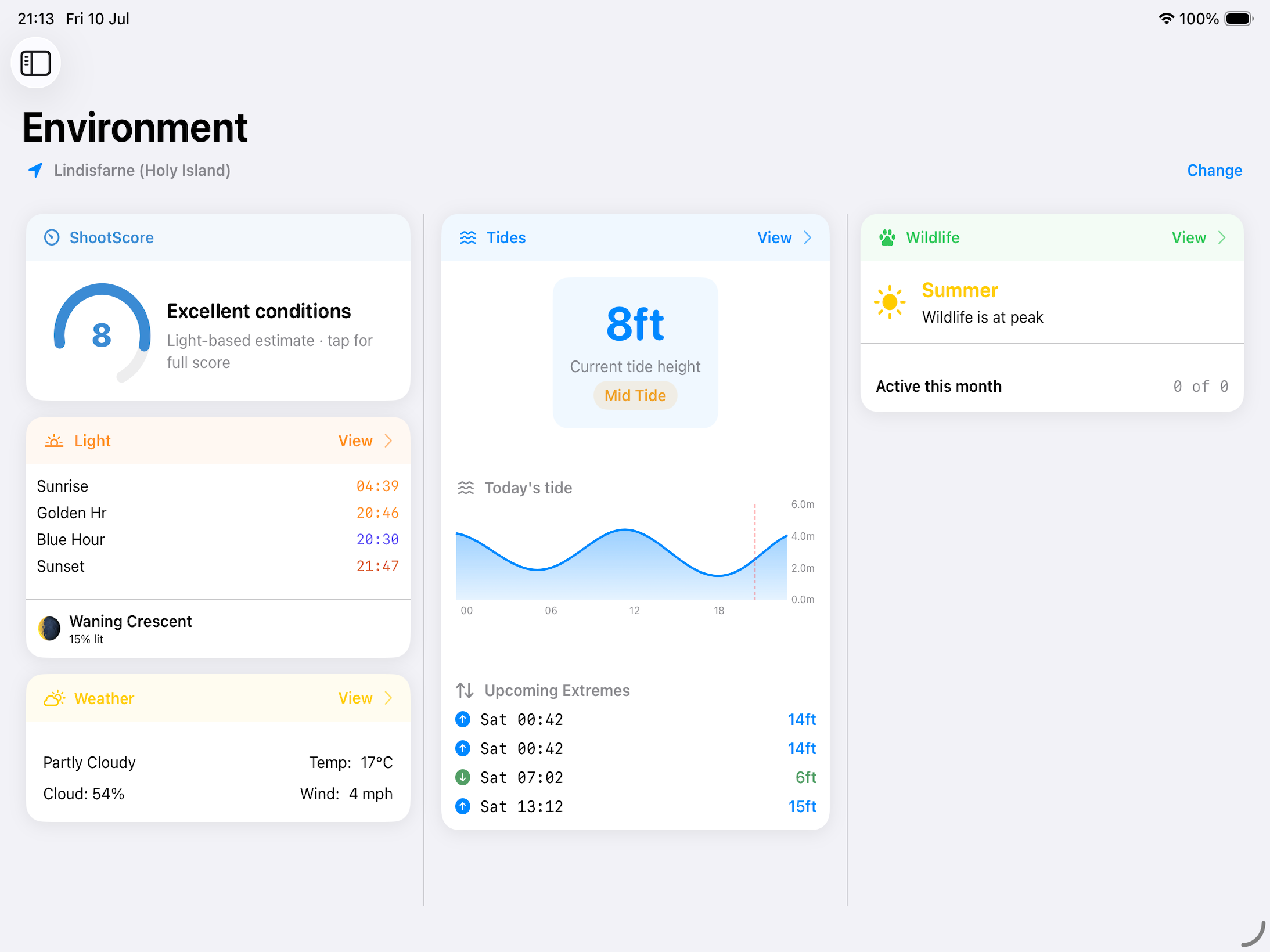
Real conditions data, intelligently combined into a single shoot score.

Tides & Weather

Know the tide.
Own the shore.

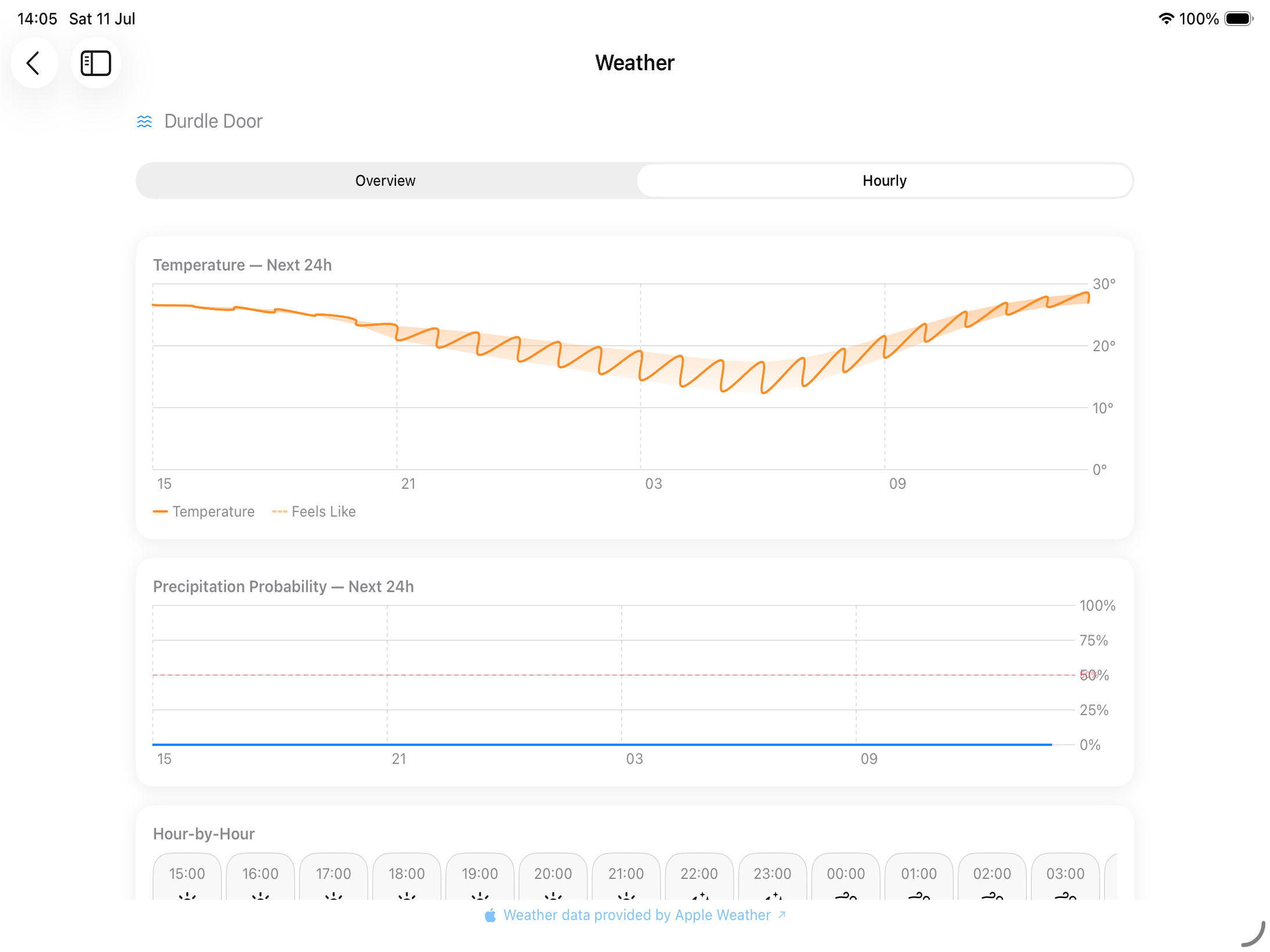
Fully offline tide predictions from over 8,000 harmonic stations — no external API. Combined with WeatherKit forecasts to produce a shoot condition score from 0–10.

  • 48-hour tide chart with high/low extremes
  • Photography window classification: Very Low → Very High
  • Persistent cache — no redundant API calls
  • Combined weather and light quality score
One Two Three
Environment
iPhone
Wildlife

Find the wildlife,
not just the location.

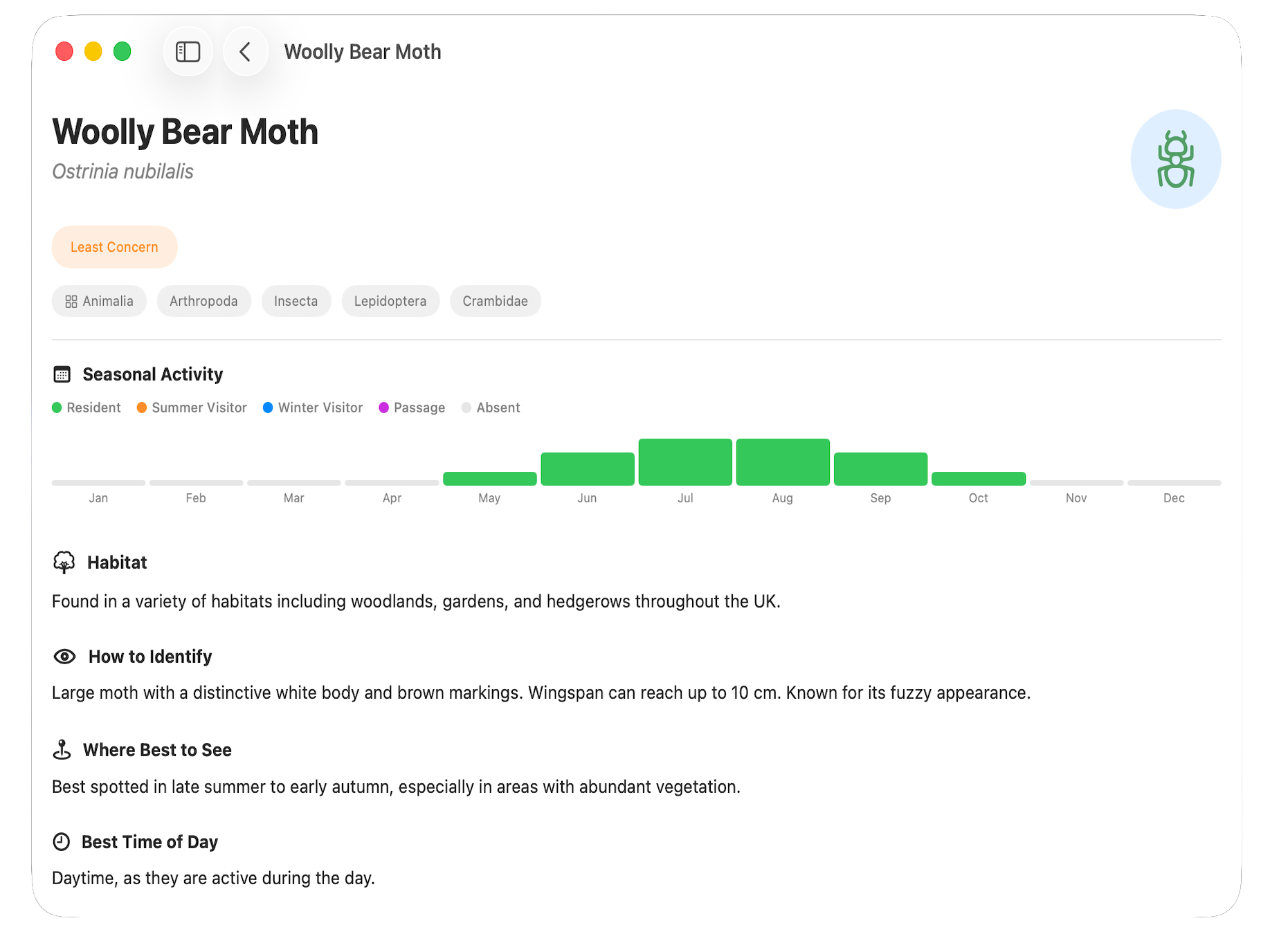
See what species have been spotted near your planned shoot location.

  • Find out what wildlife can be seen at a location.
  • On Device AI generated Wildlife guides. (where supported)
  • Optimal window engine: combines light, weather, tides, and wildlife seasonality
  • 14-day forward planning across all saved locations
Wildlife
Template Manager

Bring your Brand

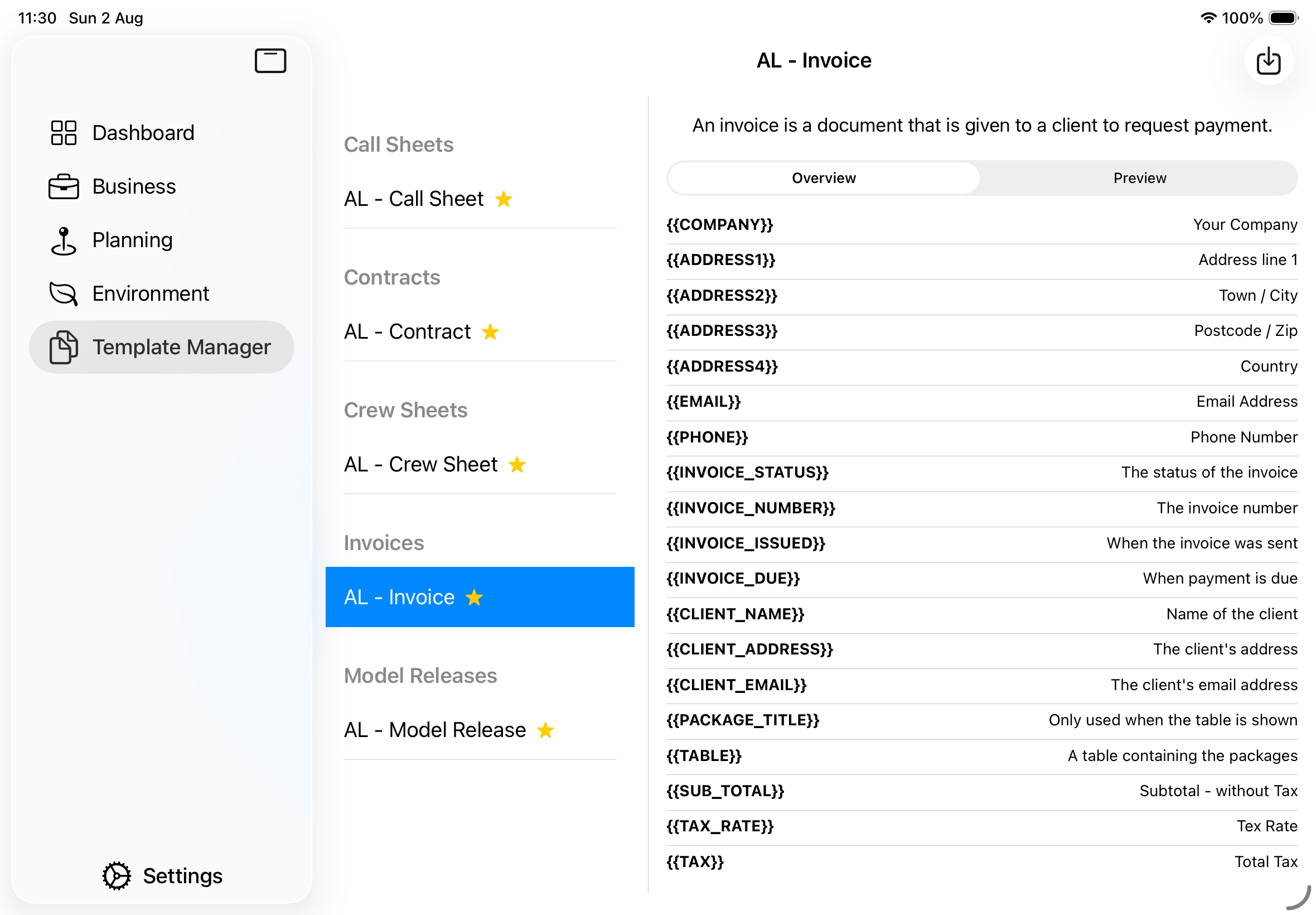
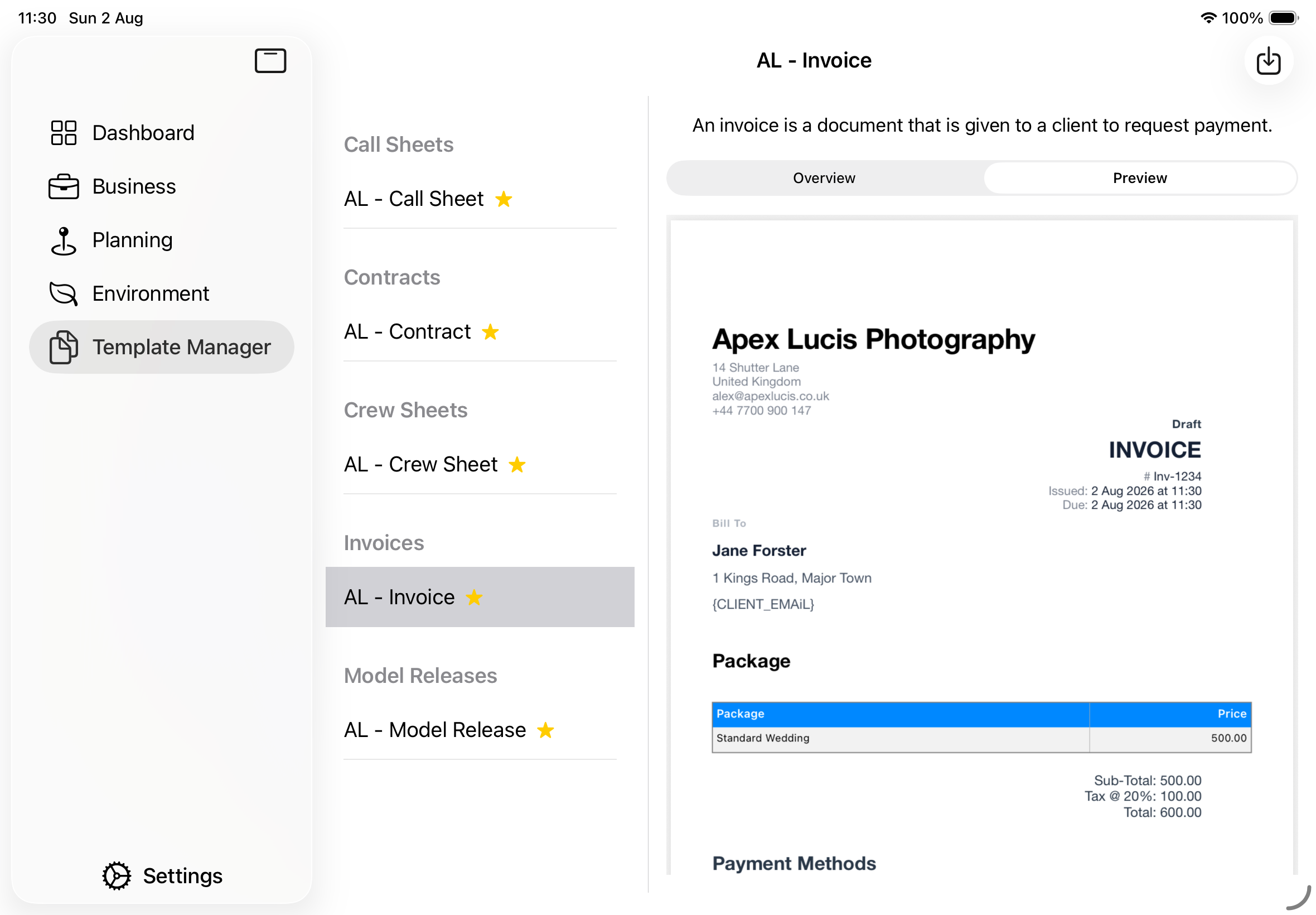
Use your own Invoices, Model Release Forms and Contracts to ensure brand consistency.

Requires Apex Lucis Pro
  • Apex Lucis provides five PDF templates to get you started.
  • Bring your own Templates for Invoices, Model Release Forms, Call Sheets, Contracts, and Crew Sheets.
  • Simply import your existing templates (as RTF documents) via the Template Manager to use your own branded templates.
One Two
Template Manager
iPhone
Pricing

Free to start.
Pro when you're ready.

Download Apex Lucis free. Unlock real environmental data with Pro.

Monthly Annual Two Months Free
Free
£ 0
No credit card required
  • All Business Modules less Pro features
  • All Planning Modules less Pro features
  • All Environment modules
  • Moon Alignment
  • Business Insights
  • Profit and Loss
  • Template Manager
Download Free

Subscription managed via the App Store. Cancel anytime in Settings → Apple ID → Subscriptions. Privacy Policy · Terms of Use

Support

We've got you
covered.

Answers to the most common questions, and direct routes to our team when you need us.

Frequently Asked Questions

Apex Lucis Pro unlocks Business Insights, Profit and Loss reports, the Moon Alignment tool, and the Template Manager for your own branded documents. All other features — business management, location scout, AR overlay, Light & Sky — are free.

Yes — Apex Lucis Pro includes a 30-day free trial. You won't be charged until the trial period ends, and you can cancel at any time from Settings → Apple ID → Subscriptions on your iPhone.

Open the Settings app on your iPhone → tap your name at the top → Subscriptions → Apex Lucis Pro → Cancel Subscription. You keep Pro access until the end of your current billing period. Apex Lucis has no ability to process refunds directly — for refunds, use Apple's reportaproblem.apple.com.

The ephemeris engine (sun, moon, golden hour, blue hour) works fully offline, as do tide predictions. WeatherKit and Wildlife require an internet connection initially to get the data, but it's cached on your device afterwards.

The planner uses Apex Lucis's own custom-built ephemeris engine — no third-party astronomy library — accurate to within about 1° when checked against tools like Stellarium and PhotoPills. The alignment tolerance is ±2° azimuth and ±3° altitude by default, which is generous enough to account for atmospheric refraction and typical composition flexibility. You can tighten tolerances down to ±0.5° for more precise planning.

All business data — clients, leads, bookings, invoices — is stored in SwiftData on your device and synced via iCloud CloudKit using your personal iCloud account. We never have access to your business data.

Yes — CloudKit sync is included for all users. Sign in with the same Apple ID on a new Apple Device and your locations, bookings, clients, leads, and wildlife field guides will sync automatically.

Yes — Your data is yours, and we believe that you should have access to it. Using the export feature you can get a spreadsheet of all your stored data.