Photographing the moon behind a landmark
The scenario. There is a lighthouse on a headland near you. You want the full moon rising directly behind it, large in the frame. This is the one job in photography that is pure arithmetic, and the one the app most clearly does better than you can.
1. Decide how far back you are willing to stand
Before touching the app, settle this, because everything follows from it.
The moon is half a degree across, always. How big it looks relative to the lighthouse depends entirely on your distance from the lighthouse. From 300 metres with a wide lens it is a dot. From three kilometres with a 600mm it towers.
So the real question is: what is on the line behind the lighthouse that you can stand on? A car park, a field, a lay-by, a beach. That distance and your longest lens decide the photograph.
2. Place the two pins
Planning → Moon Alignment
Drop a subject pin on the lighthouse, and a camera pin roughly where you think you could stand. Accuracy on the subject matters; the camera pin is a starting point the search will refine along the line.
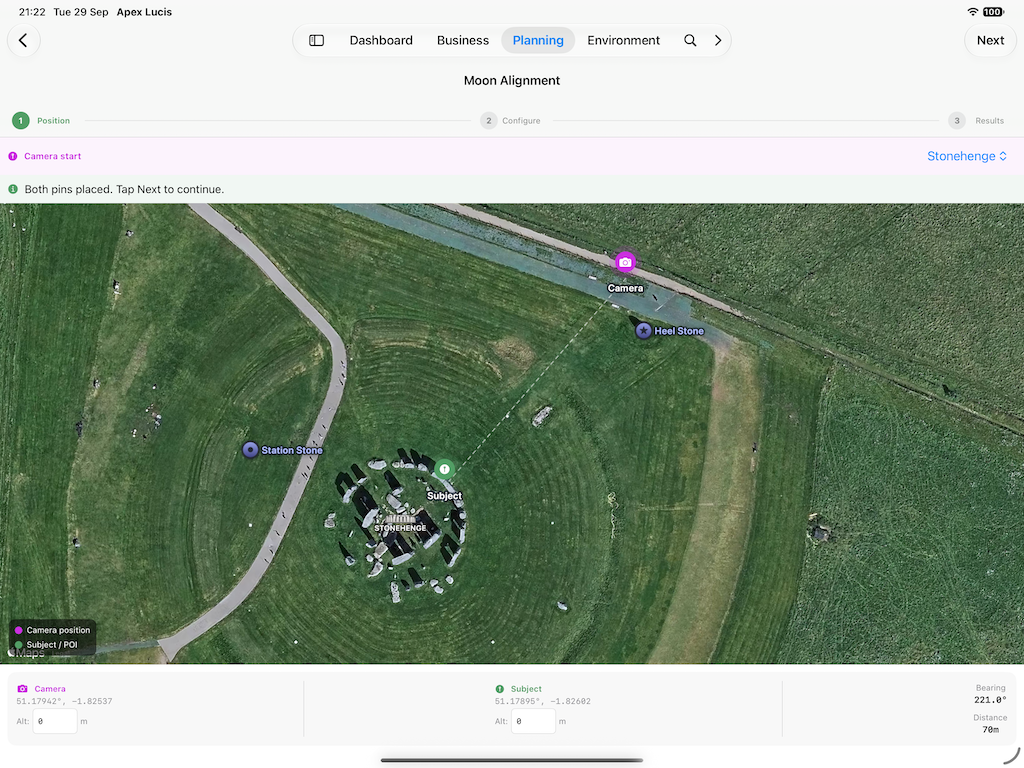
3. Set the search
Date range. A month is a reasonable first search. Wider gives more candidates and more to read.
Focal length. The lens you actually intend to use. This is what the result uses to tell you how large the moon will be in frame.
Tolerances. How precisely the moon must sit behind the subject. Tight gives fewer, better candidates; loose gives more to choose from. Start loose, then tighten once you see how many dates come back.
4. Read the results for light, not just alignment
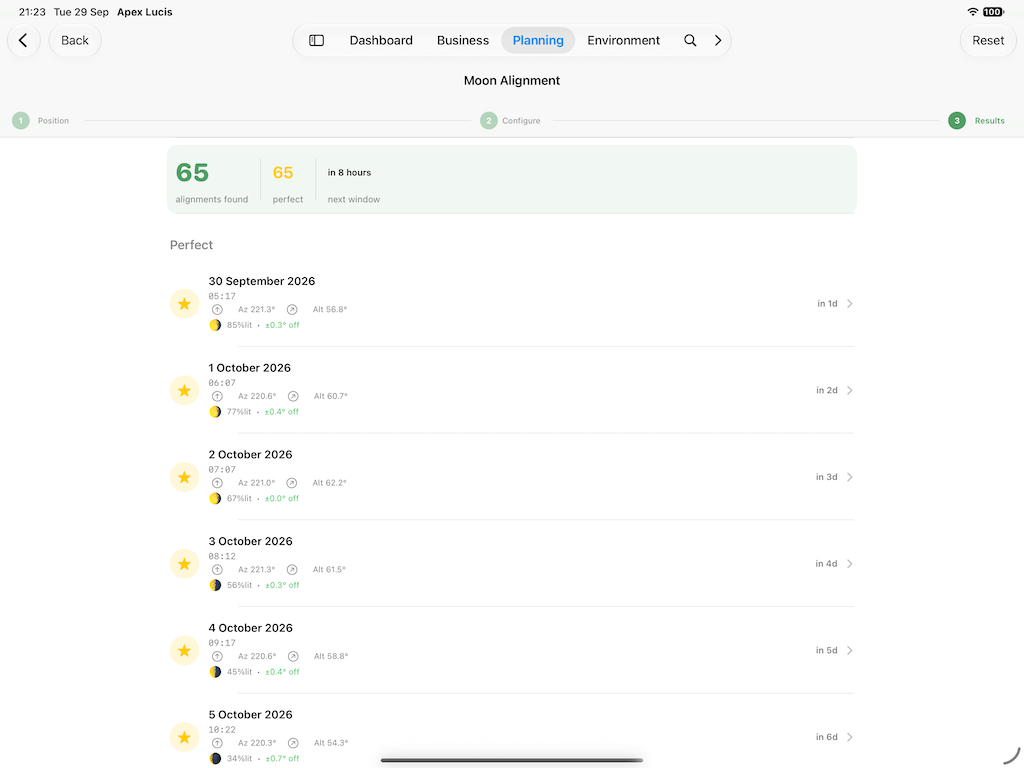
You will get dates, times, the spot to stand on, the bearing, and the moon’s size in frame.
Now apply the filter that separates a correct photograph from a good one: when in the light does it happen?
A full moon rising at full dark is a white disc against black — hard to expose and rarely interesting. A moon rising during blue hour, when the sky still has light and the landscape is not yet black, is the photograph people actually want.
Because the app knows the light as well as the moon, you can see which candidates land in that window. That constraint will remove most of your dates, and the ones left are the ones worth driving for.
5. Turn it into a plan
From the result → Create Booking
The booking carries both pins — camera and subject — so on the evening you are navigating to a specific spot rather than a general area. The map on the booking shows the two joined, with an Open in Maps button.
It also carries the light times for that date, so you know when to be in position rather than when the moon rises. Be there early: a rising moon crosses its own diameter in about two minutes, and the alignment window is measured in minutes.
6. Before you go
Check the forecast for that hour on the booking. This is the one shot where cloud at the horizon is fatal rather than helpful — you need the horizon itself clear, whatever the rest of the sky is doing.
Have a second candidate date if the search gave you one. Moon alignments do not care about your weekend.
Moon Alignment is a Pro feature.
Modules used
| Module | Guide |
|---|---|
| Moon Alignment | Moon Alignment |
| Locations | Location Scout |
| Light & Sky | Light & Sky |
| Weather | Weather |
| Bookings | Bookings |