Closing off the year
The scenario. The tax year is ending. Historically this means an evening with a shoebox, a bank statement and a growing sense that you have under-claimed. This is the version where most of it is already done.
1. Sweep up the costs that never arrive as receipts
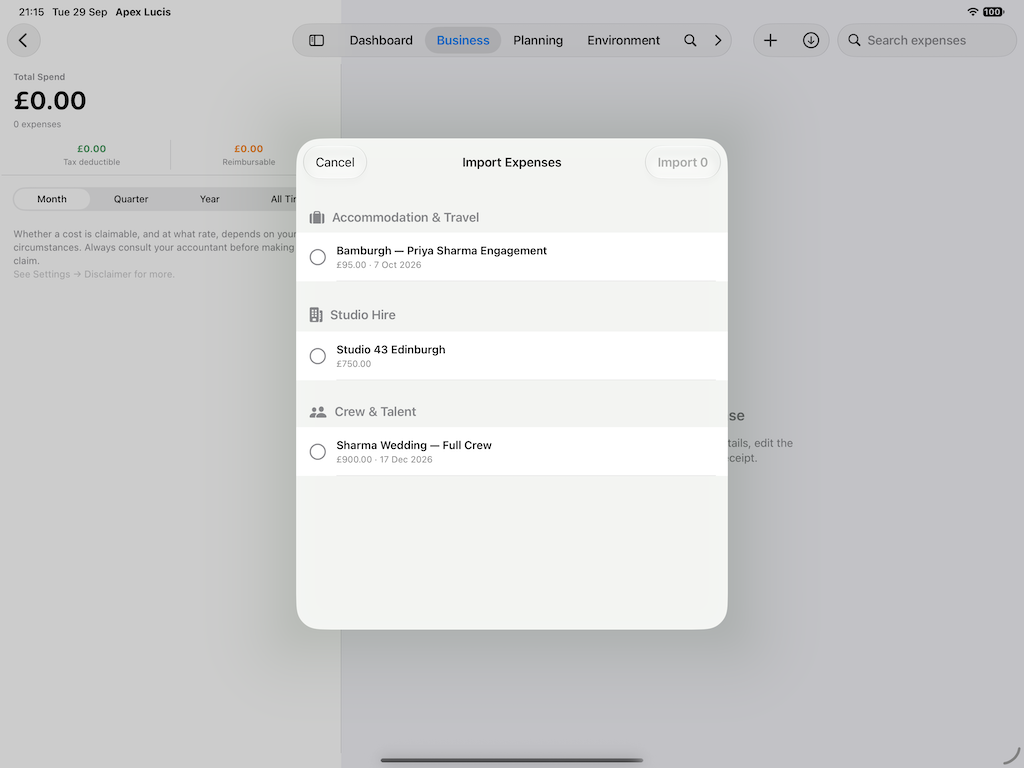
Business → Expenses → Import
The expenses photographers lose are not the ones with paperwork. They are the ones that generate nothing to file: mileage, a permit fee paid online months ago, an assistant paid in cash, a lens hired for one job.
Those all exist elsewhere in the app already, and can be brought through as expenses:
- Trips — including the mileage claim, calculated at your rate
- Crew — fees you agreed and recorded on the booking
- Studio hire
- Permits
- Hired gear
Each arrives attached to the booking it belonged to, which is the part that matters.
2. Check the ordinary ones are in
Business → Expenses
Software subscriptions, insurance, the website, professional bodies, training, equipment. The silent direct debits are the easiest to forget precisely because they need no action.
Check the tax-deductible flag is set correctly as you go, and add a receipt photograph where you have one.
Tax rules vary by country and change. Treat this as the shape of the thing rather than advice — an accountant usually pays for themselves in the first year, largely by naming things you were not claiming.
3. Look at what actually happened
Business → Profit & Loss
Set the period to the tax year. Revenue, expenses, profit — built from invoices and expenses already recorded rather than from anything you assemble tonight.
Because the costs came through attached to bookings, these are real figures rather than turnover with a guess subtracted.
Worth doing while you are here: look at the per-job picture rather than only the total. The question that changes next year’s behaviour is not “did I make money” but “which work made it”. Photographers are routinely surprised — usually because editing hours vary enormously between job types, and the popular package is the unprofitable one.
4. Look at what is coming
Business → Insights
Profit & Loss is a rear-view mirror. Insights asks the other question: how are enquiries trending, where are they stalling, what is an average booking worth, and how far ahead is the diary filled.
That last one is the most useful number in the app at this time of year. Knowing in March that June is half empty is a problem you can still solve.
Profit & Loss and Insights are Pro features.
5. Hand it over
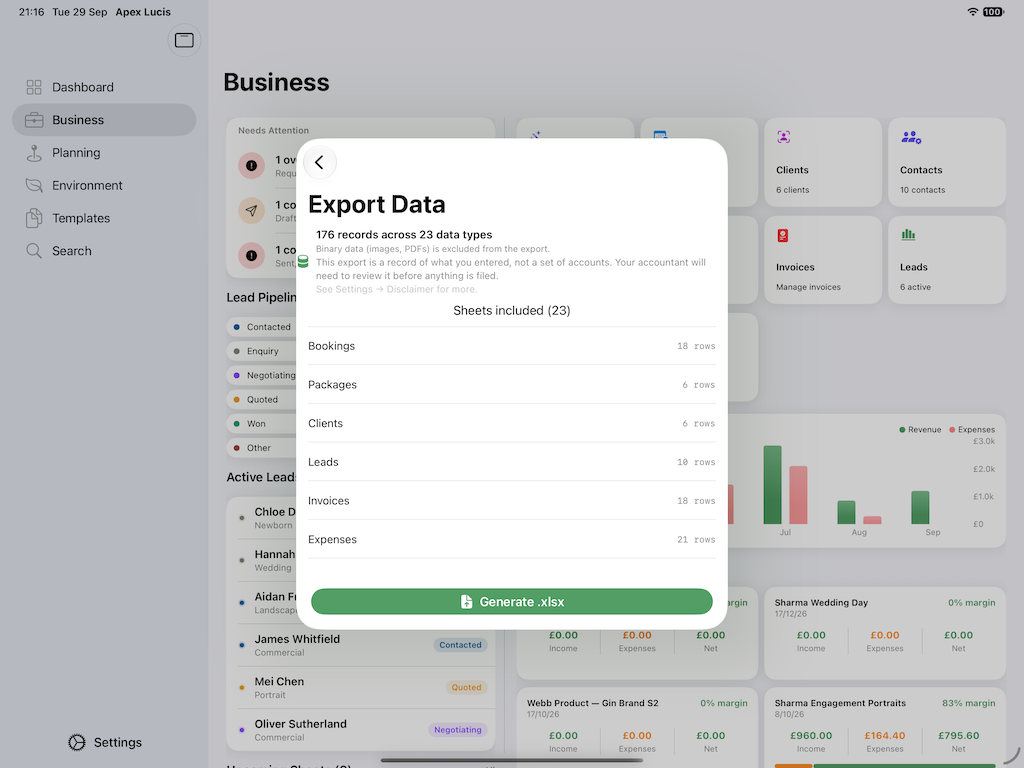
Settings → Data Export
Produces a spreadsheet of everything — bookings, clients, contacts, leads, invoices, expenses, packages, locations, gear, trips and the rest.
Not a proprietary backup file that only this app can read. A spreadsheet you can open, keep, and send to whoever does your return. Organised figures take an accountant less time, which is the cheapest saving available to you.
It is worth running the export annually regardless of whether anyone asks for it. Your business record is yours, and a copy outside any one app is simply good practice.
6. Two things worth doing while you are in the mood
Review your pricing. If average booking value has not moved in three years, you have taken a real-terms pay cut. The figures from step 3 are the argument you need with yourself.
Check your gear service records. Planning → Gear. A body approaching the end of its shutter life is a purchase you want to plan rather than an emergency mid-season.
Modules used
| Module | Guide |
|---|---|
| Expenses | Expenses |
| Trips | Trips |
| Profit & Loss | Profit and Loss |
| Insights | Insights |
| Data Export | Data Export |
| Gear | Gear Manager |