A studio day with a model
The scenario. A hired studio, half a day, one model, a stylist, and a client expecting a set of images for a product launch. Nothing here depends on the weather, which makes it a good illustration of the business half of the app working on its own.
1. The booking, and the space
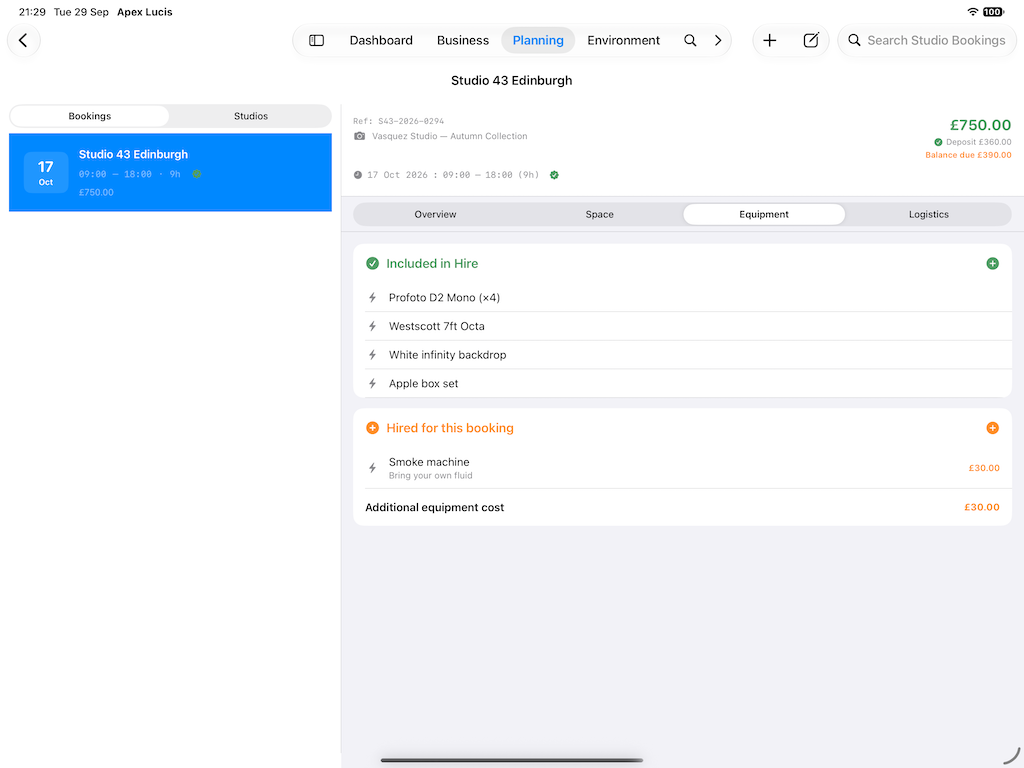
Business → Bookings → New, then Planning → Studio Bookings
Create the booking for the client and date, then record the studio hire against it: the space, the times, the cost, and any equipment you are hiring from the studio rather than bringing.
Studio hire is one of the costs most often left out of a job’s arithmetic, because it is paid by card weeks earlier and never reconnected to the shoot it belonged to. Recording it here is what later makes the margin real.
2. The people
On the booking → Crew
Add the model and the stylist from contacts, each with their role and agreed fee.
Settle the fee before the day rather than after it. Most disagreements about money on a shoot are not dishonesty — they are two people remembering a conversation differently, usually about whether the rate was for the day or the half day, and whether travel was included.
Mark the model as needing a release.
Crew, call sheets and model releases are Pro features.
3. The schedule, even for half a day
On the booking → Call Sheet
Half a day still benefits from blocks: 09:00 access and set-up, 09:30 hair and make-up, 10:30 first setup, 12:30 wrap.
The threshold for needing a call sheet is not budget, it is people. Once more than two are involved, you either write one or you become one — fielding questions by text all morning.
Send it out the day before. Include the studio’s address, which entrance, and any door code, because that is what the morning’s phone calls are otherwise about.
4. The shot list
On the booking → Shot List
For a product launch the client almost certainly has required frames, even if they have not listed them. Write them down and get them agreed beforehand.
Work through them early. Studio time is bought by the hour, and discovering an outstanding required shot at 12:15 on a 12:30 wrap is an expensive way to find out.
5. The release, signed on the day
On the booking → Documents → Model Release
Generate it, and have it signed on the day. This is the single practical lesson about releases: chasing one from someone you met once, eight months ago, when a client suddenly needs it, is a genuinely unpleasant way to lose a licensing fee.
It generates from a template, so if your client or insurer has wording they prefer, import it once and every release uses it afterwards.
Requirements vary by country and by use. If you shoot commercially it is worth having a solicitor look at your wording once.
6. What it actually cost
By the end of the day the booking is carrying: the studio hire, the model’s fee, the stylist’s fee, and any hired equipment.
Business → Profit & Loss now shows the job as it really was rather than as a headline figure. A well-paid studio day with three people on it and a hired space is often a much thinner job than the invoice suggests, and that is worth knowing before you quote the next one.
Profit & Loss and Insights are Pro features.
7. Delivery
On the booking → Delivery
Commercial clients usually want a selection quickly and finals later. Two deliverables, two promised dates, taken from the packages you sold. The client gets the selects on time without waiting for the retouching.
Modules used
| Module | Guide |
|---|---|
| Studio Bookings | Studio Hire |
| Crew | Crew |
| Call Sheets | Call Sheets |
| Shot Lists | Shot Lists |
| Templates | Template Manager |
| Profit & Loss | Profit and Loss |
| Bookings | Bookings |