Studio Bookings
Overview
If you hire a commercial photography studio rather than shooting on location, Studio Bookings tracks the reservation, the space specifications, and any equipment hired from the studio.
There are two tabs: Studios, where you describe each space you use, and Bookings, where you record each hire of one. Describing a studio is a one-off — the second time you book the same room, you only enter the date and times.
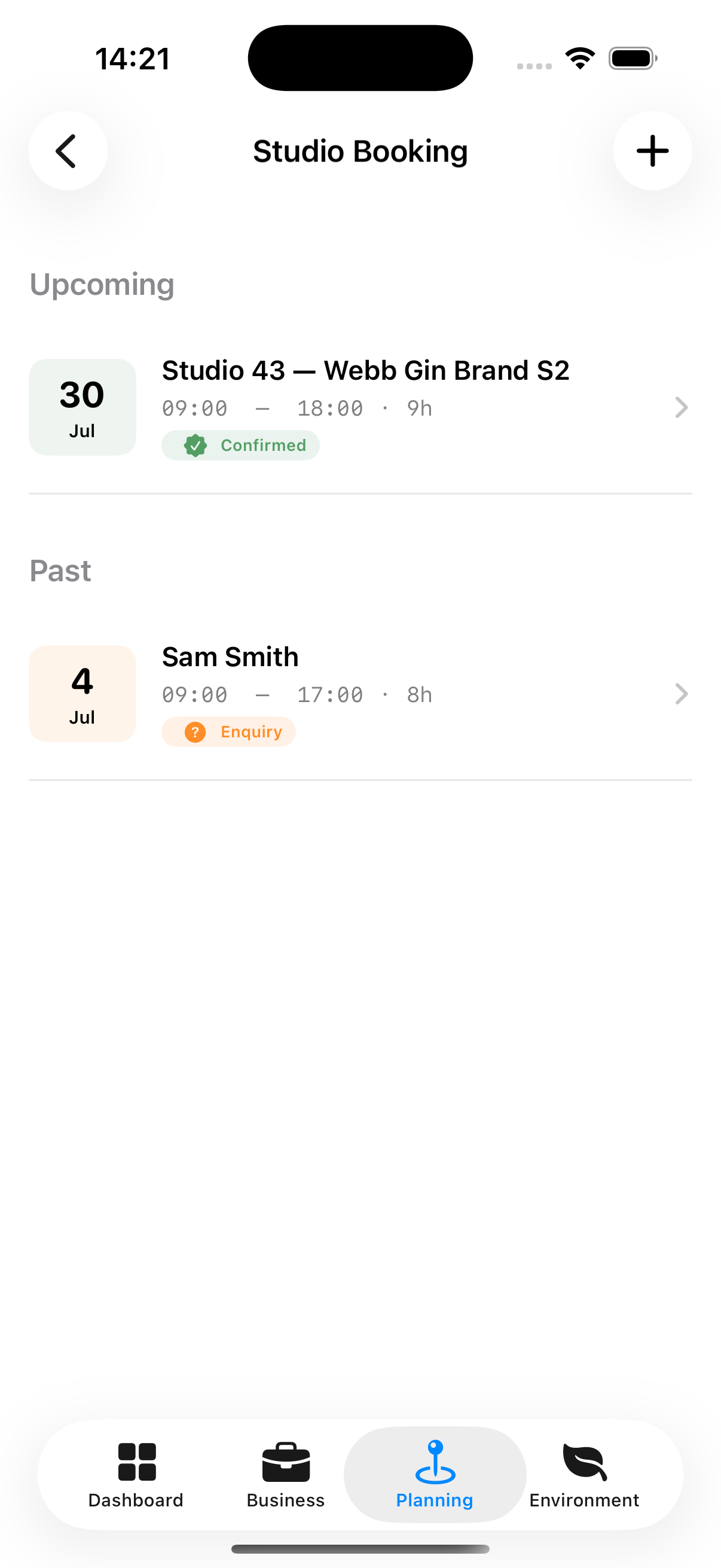
Studio Booking Statuses
| Status | Meaning |
|---|---|
| Pending | Reservation enquired but not confirmed |
| Confirmed | Studio confirmed the booking |
| Completed | Booking has taken place |
| Cancelled | Booking will not go ahead |
Accessing Studio Bookings
Planning tab → Studio Bookings
Creating a Studio
Everything that stays the same from one hire to the next belongs to the studio.
- Go to the Studios tab and tap Add Studio
- Enter:
- Name and Room — the room matters when a venue has more than one space
- Contact — email, phone and website for the studio
- Hourly rate — used to work out what a hire costs
- Space specifications — floor area, ceiling height, cyclorama and infinity floor, natural light, power, backdrops, wifi, changing rooms, make-up stations, kitchen, client area, loading bay, disabled access, occupancy
- Included in the Hire — what every booking of the space comes with at no extra cost
- Available for Hire — what the studio can supply on top of the hire fee, and the price of each item
- Access — access code and parking notes
- Cancellation — whether it can be cancelled, and on what terms
- Tap Save
Listing something under Available for Hire costs nothing. It is a list of what the room can supply — a booking is only charged for what it actually takes.
Creating a Studio Booking
- Go to the Bookings tab and tap +
- Choose the studio. If it is one you have not used before, Add Studio from inside the picker and it is selected for this booking straight away
- Enter the date and times
- Check the cost, which is worked out from the studio’s hourly rate, and adjust it if the studio quoted something else
- Tap Save
The rate is a starting point, not a link
A studio’s hourly rate seeds the cost of a new booking and is never written back into one already made. If a studio puts its prices up, last year’s shoot still shows what you actually paid.
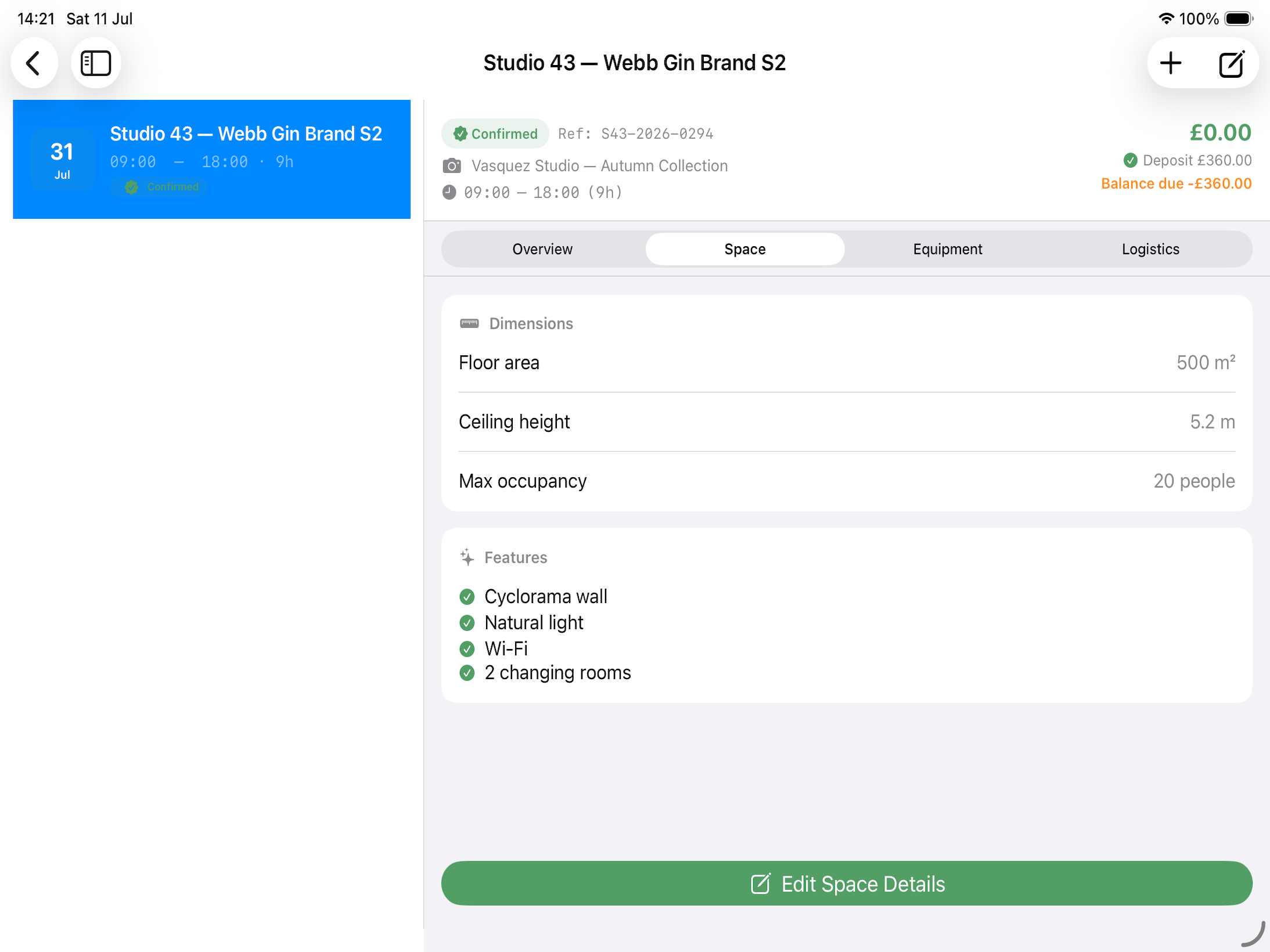
Studio Booking Detail Screen (Four Tabs)
Overview Tab Date, time, duration, total cost, status.
Space Tab The studio’s specifications: floor area, ceiling height, backdrops, power, natural light and the rest. These come from the studio, so correcting them there corrects every booking at that space.
Equipment Tab Two lists:
- Included — what the hire fee already covers, taken from the studio
- Hired for this booking — what this shoot took on top
Tap + beside “Hired for this booking” to tick items from what the studio has available. Anything not on that list can be added with Something Else, which also adds it to the studio so the next booking can just tick it. Only what is ticked is added to the booking’s total.
Logistics Tab Practical details:
- Loading bay access
- Parking
- Key collection instructions
- Studio contact details
Deleting a Studio
Deleting a studio does not delete its bookings. They keep their dates, costs and payment records, and still show the studio’s name. What goes is the description of the room — the specifications, the equipment lists and the rate — so booking that space again would mean describing it from scratch.