Shot Lists
Overview
A shot list is a pre-planned inventory of individual photographs you intend to capture on a shoot. Planning shots in advance ensures you don’t miss anything important and helps you brief your crew efficiently.
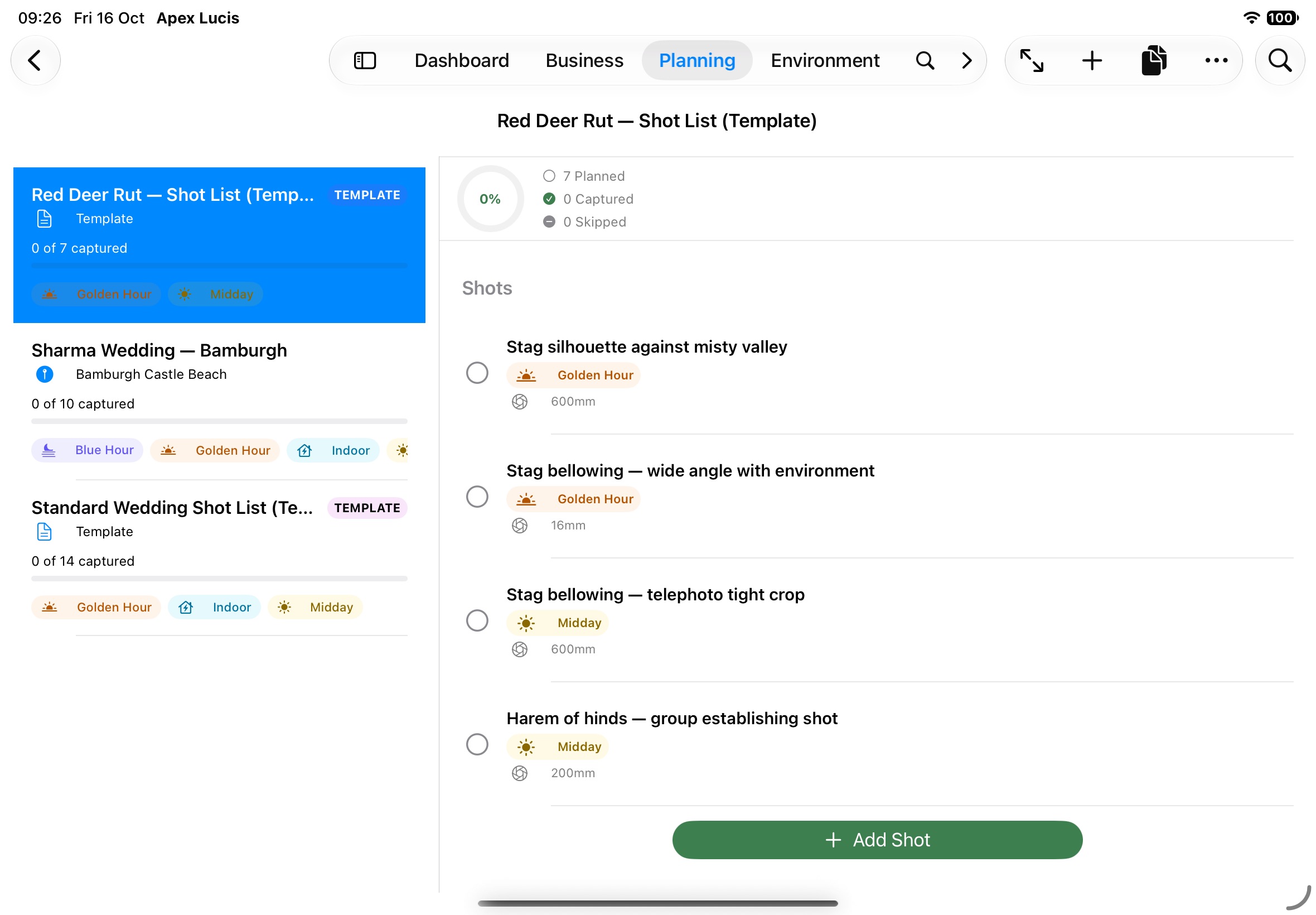
Accessing Shot Lists
Planning tab → Shot Lists
The chips at the top show All, or just the lists for Locations, Bookings or Templates. Search Shot Lists finds one by name.
Creating a Shot List
- Tap +, or Planning → New Shot List (⌃S) on a Mac
- Name the list (required)
- Choose what it’s for:
- Booking — Links the shot list to a specific booking
- Location — Links to a saved location
- Tap Save
Templates
Save any shot list as a template with Save as Template from its More menu (⋯). To start from one, choose New from Template, pick it, and give the copy a title — its shots come with it.
Duplicate and Rename are in the same menu.
Adding Shots
From the shot list detail screen:
- Tap Add Shot
- Enter:
- Title and description
- Lens — Focal length, or a lens from your inventory
- Exposure notes — Suggested aperture, shutter speed, ISO
- Light window — Golden Hour, Blue Hour, Sunrise, Sunset, Morning, Midday, Moonrise, Night / Astro, Overcast, Indoor or Any
- Camera Direction — the bearing and elevation you’ll point
- Reference Image — Add a reference image to remind you what you are trying to achieve
- Notes
- Tap Save
Tracking Progress
When in the field, tap Field Mode (on a Mac, Planning → Shot List Field Mode) for a minimal screen to track the shots you take.
Field Mode groups the shots by when their light comes, worked out for the list’s location today: Now · Golden Hour until 18:30, then each light window still to come (“Blue Hour · 18:30–19:00”, “Sunrise · tomorrow 5:40–6:20”), then Any Time for shots that don’t depend on the light.
Tap a shot’s checkbox to mark it captured, or swipe it for Mark Captured and Skip. Mark Not Skipped brings a skipped shot back.
Outside Field Mode, the list shows its progress (e.g., 12 of 18 shots captured).
Shot List from a Booking
On a booking’s Shoot Day tab, the shot list card shows the list and its progress. Tap it to open the list.
Deleting a Shot List
Swipe a shot list and tap Delete. Apex Lucis asks first and says how many shots go with it.