Leads
Overview
A Lead represents a potential booking — someone who has expressed interest but is not yet confirmed. Leads move through a pipeline until they are either won (converted to a booking) or lost.
This is intended for potential new clients. If you already know the client, then it is easy to just create a temporary booking against them.
Lead Stages
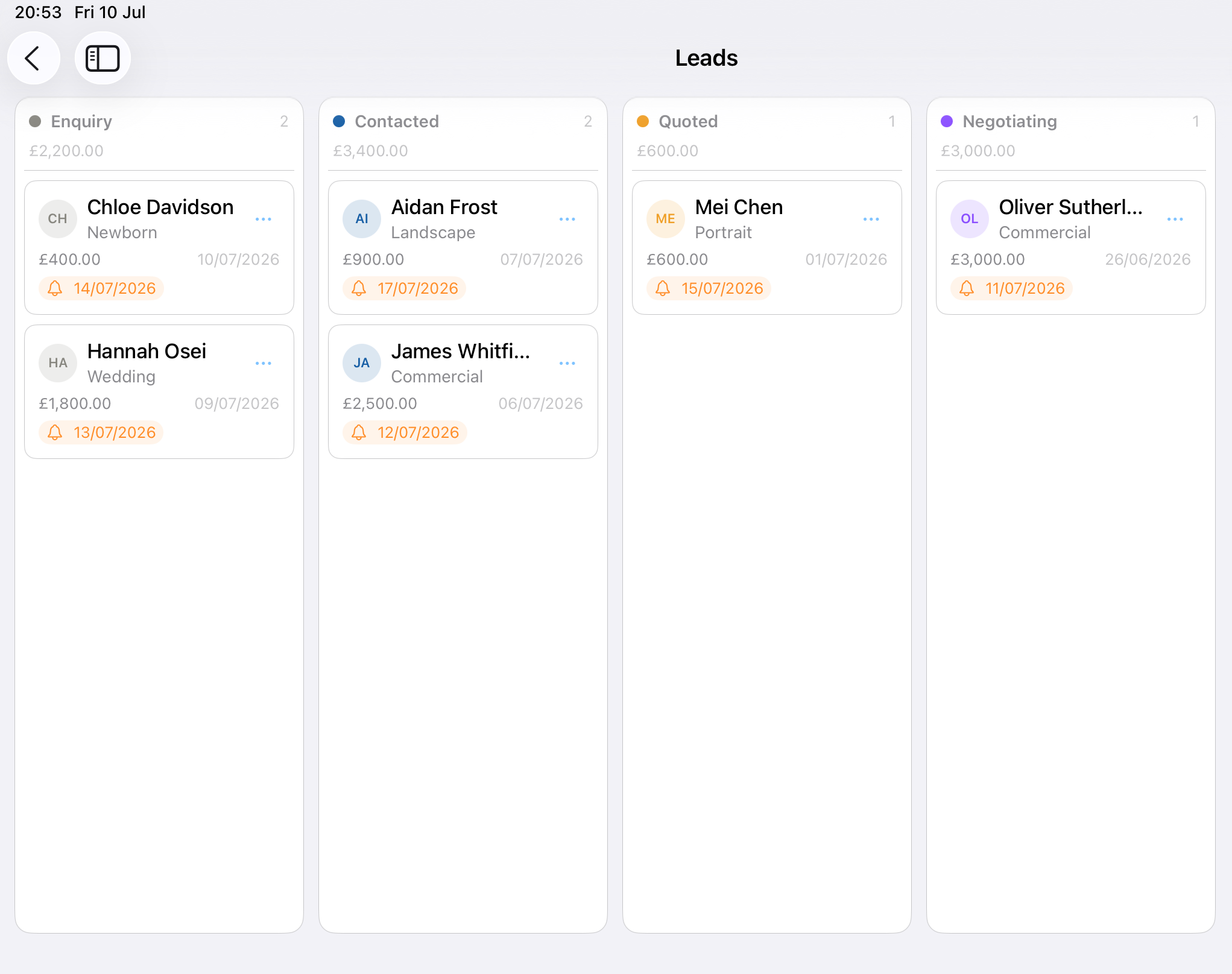
| Stage | Meaning |
|---|---|
| Enquiry | Initial contact received, not yet responded to |
| Contacted | You have reached out to the potential client |
| Quoted | A price or package has been provided |
| Won | Converted to a confirmed booking |
| Lost | Marks the Lead as lost |
Accessing Leads
Business tab → Leads
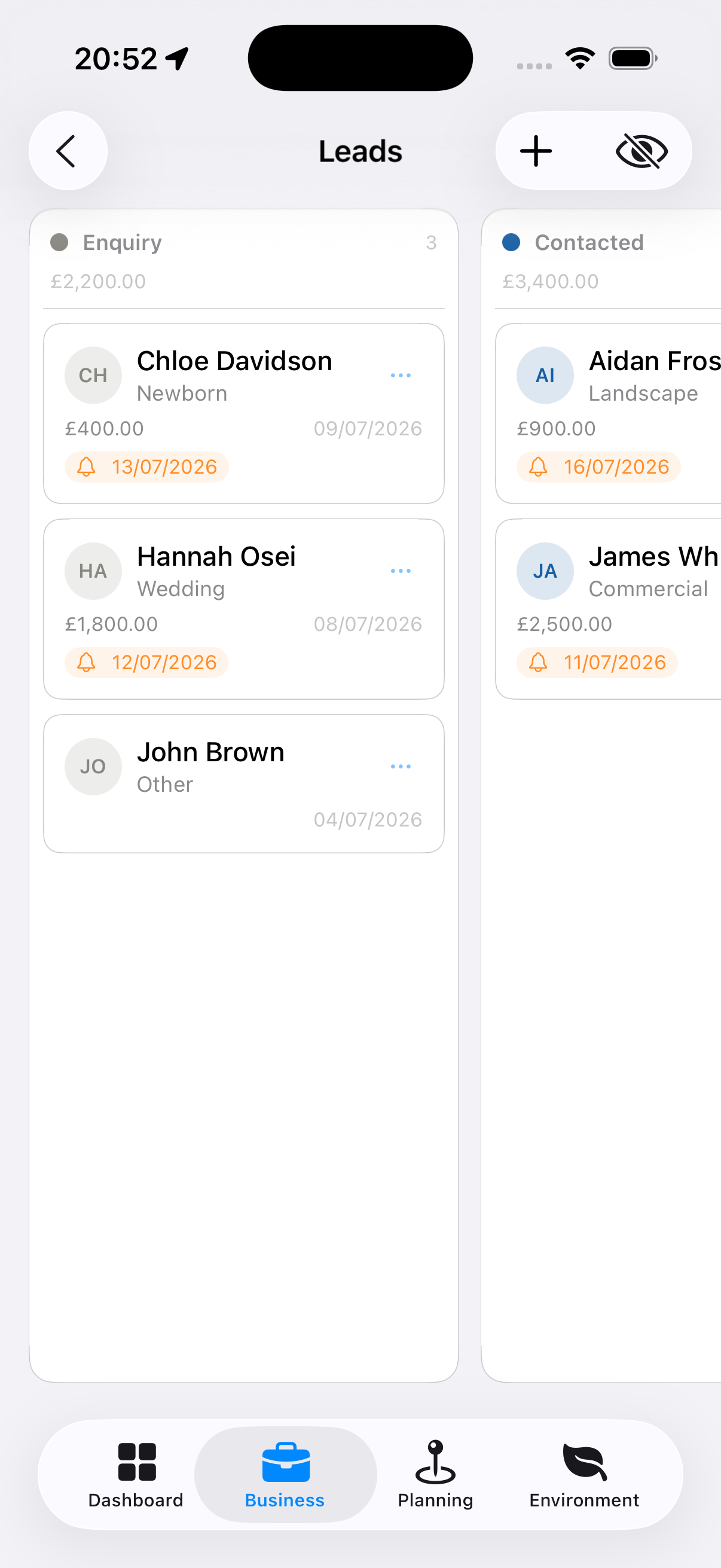
A kanban-style pipeline view shows columns for each stage. Each column shows the total estimated value of leads within it, if you provide a sum when creating or editing a Lead.
- Clicking on a card will bring up the Lead details
- Clicking on the three dots (…) pops up a menu allowing you to quickly update the status of the lead.
- You can also update a lead’s details by selecting Edit from the popup menu.
Creating a Lead
- Tap the + button (top right)
- Enter the client’s name and contact details
- Select the enquiry type (shoot type they’re interested in)
- Enter an estimated value
- Add any notes about the enquiry
- Tap Save
Tip: Add leads immediately when an enquiry comes in, even with minimal details. You can fill in more later. The app flags leads that haven’t received a response within your set response target (default: 24 hours).
Hot Lead Alert
If a lead in the Enquiry stage is older than your Hot Lead Hours threshold (default: 48 hours) without being moved forward, it is highlighted as needing attention. This threshold is configurable in Settings → Business.
Converting a Lead to a Booking
- Open the lead detail screen
- Tap the three dots (…) to bring up the popup menu
- Select ‘Move to Won’
- A client will automatically be created based on the information added in the lead
- A booking will automatically be created based on the information added in the lead, and the new client will be linked to it