Optimal Windows
Overview
Rather than reading four environmental screens for each of your locations in turn, Optimal Windows scans them all at once and ranks the hours worth driving for — combining light, the forecast, the tide and wildlife activity into a single score out of 10.
Accessing Optimal Windows
Planning tab → Optimal Windows
Note: Without Apex Lucis Pro a scan covers your three nearest locations over three days. It is a real scan, ranked and complete — just a smaller one. Pro scans every saved location in range across ten days. The locations a free scan left out are named below your results, behind Unlock with Pro.
Choosing What Gets Scanned
Two pickers sit at the top of the screen.
Near The place distances are measured from. Defaults to where you are, but you can pick any saved location instead — set it to the coast you are driving to next month and the scan answers “what should I plan for the trip?” rather than “what is good near me tonight?”.
Within How far from that place to look — 25, 50, 100, 250 or 500 km, or Any distance. Shown in miles if that is your distance unit (Settings → Regional).
Underneath, a line tells you how many locations that leaves: “8 of 21 locations in range of Bamburgh”.
Tip: A radius is the fastest way to shorten a scan. On a long location list, narrowing from Any distance to 100 km makes an obvious difference to how long Compute Windows takes.
Running a Scan
Tap Compute Windows. A progress bar shows how far through your locations it has got. When it finishes, tap Refresh in the toolbar any time you want to run it again — the forecast moves, so a scan you ran on Monday is worth re-running on Thursday.
What It Shows
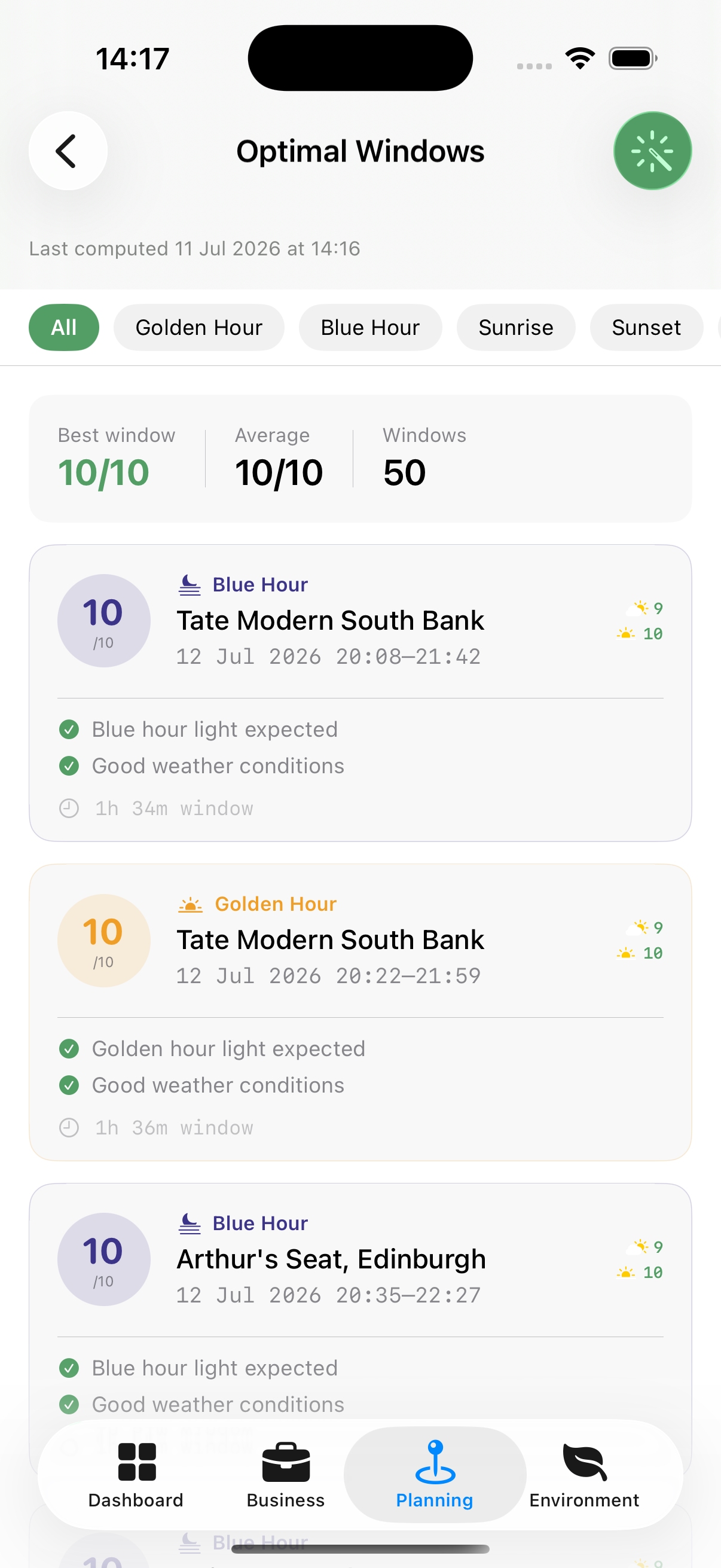
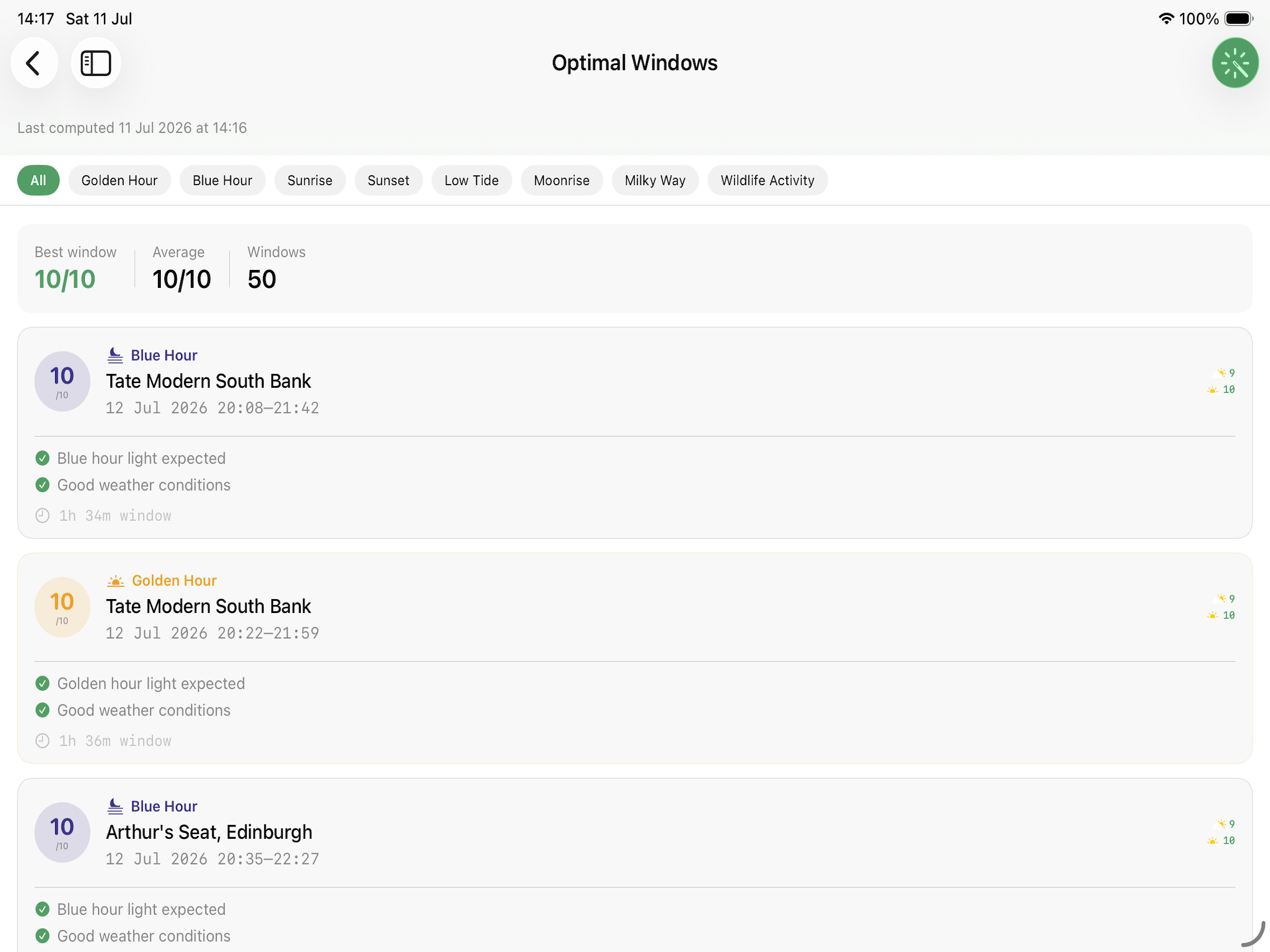
Windows are listed best first, each one a card carrying:
- The location, date, and start and end time
- What kind of window it is — golden hour, blue hour, sunrise, sunset, low tide, moonrise, Milky Way or wildlife activity
- The score out of 10, and the reasons behind it
- Any species active at that location that month
Above the list, a summary strip gives the best score in the results, the average, and how many windows there are. The chips along the top filter to one kind of window.
How Far Ahead It Looks
A scan reaches ten days — as far as the weather forecast goes. Sun, moon and tide times are available far beyond that, but a window is only worth ranking when there is a real forecast behind it.
Two rules shape the list:
- Only windows scoring 6 or more appear. Below that it is not a shoot worth the alarm clock.
- At most four windows from any one day, so a Saturday with six locations in range cannot bury a quiet Tuesday that had the better sky.
Windows that have already finished are dropped, so this morning’s golden hour never takes a slot from something you can still shoot.
Turning a Window Into a Booking
Every window card carries a Create Booking button.
The booking opens ready to edit, titled for the window and the place — “Golden Hour at Bamburgh” — with the window’s own start and end times and the location already attached. Nothing is saved until you tap Save.
The notes keep the reasoning: the overall score, the light, weather and tide scores behind it, and the reasons listed on the card. Six weeks later a bare “8/10” tells you nothing, but “low tide exposes the causeway” still does.
Once saved, the booking’s Shoot Conditions card carries the light for that day — sunrise, and when golden hour opens and closes — so you do not need to come back here to look it up. Switch on the booking’s own alerts to be told before the light or the tide arrives. See Notifications.
Note: Scores are worked out from the forecast at the time you ran the scan. The notes say so, and the further ahead the window, the more worth re-checking nearer the date.
How the Composite Score Is Calculated
Each window’s score (out of 10) blends up to four factors, weighted the same way for every window:
| Factor | Weight | Included when |
|---|---|---|
| Light | 35% | Always |
| Weather | 35% | A WeatherKit forecast is available for the window |
| Tides | 20% | The location is coastal |
| Wildlife | 10% | The location has species saved against it that are active in that month |
If a factor doesn’t apply to a window — tides at an inland location, for example — Apex Lucis leaves it out entirely and reweights the remaining factors proportionally, rather than penalising the score for data that was never going to exist. This is why two windows can each show a perfect light score but end up with different composite totals: one might be coastal and picking up a tide contribution the other doesn’t have.