Dashboard
Overview
The Dashboard is the app’s home screen. It gives you an at-a-glance view of your next shoot, today’s light quality, revenue, and favourite locations — all without navigating away from the home screen.
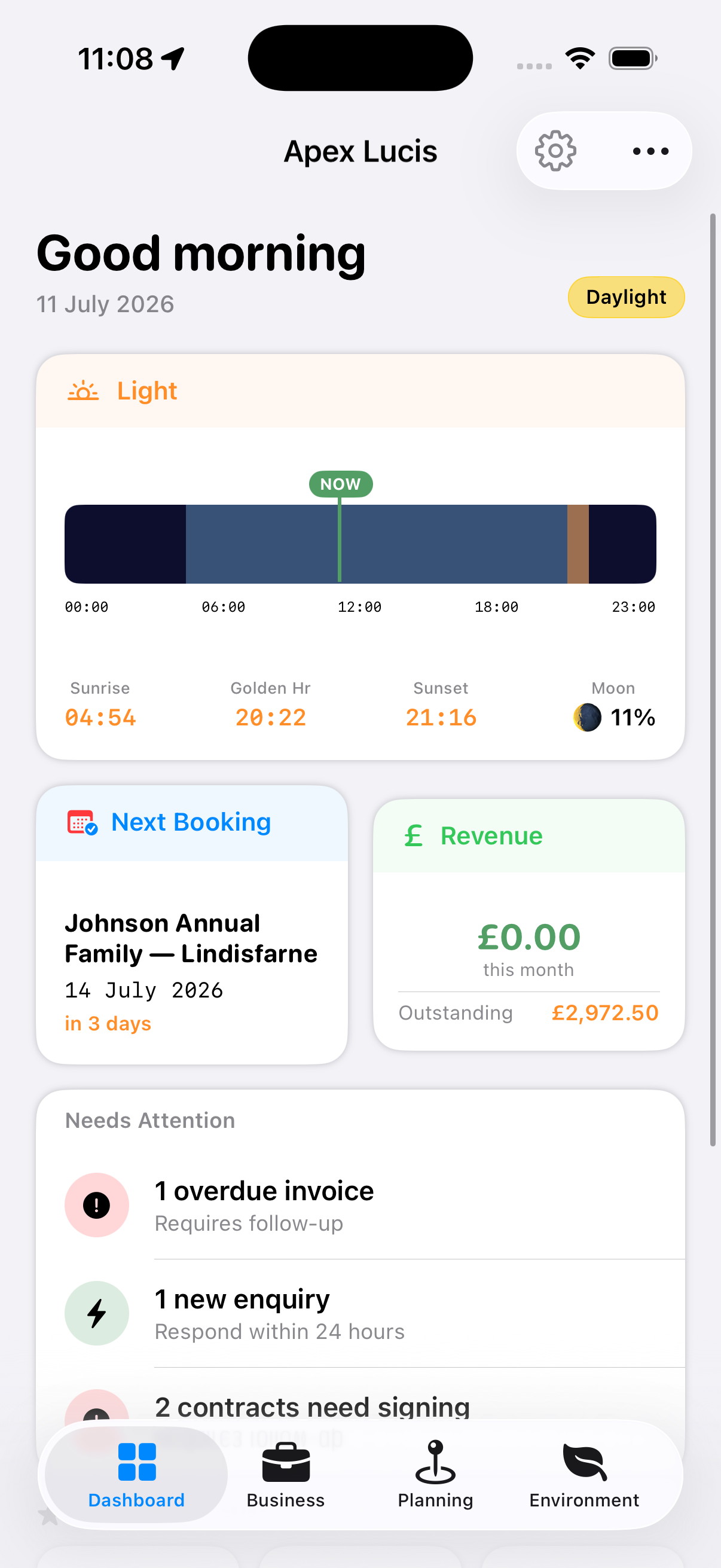
Dashboard Cards (iPhone / Narrow)
Next Booking & Revenue
Side by side. Next Booking shows the name, date, client and status of your next upcoming shoot — tap it to open that booking. Revenue summarises the current month, including paid invoices and the outstanding balance, and opens the Financials screen.
Today’s Shoot Conditions Card
Displays the Shoot Score (a composite rating from 0–10) for your current or most relevant location. Shows light quality for the next golden hour window. Tap to open the full Environmental module.
Light Window Card
Shows today’s golden hour and blue hour times for your current location or a pinned favourite. Updates automatically as the day progresses.
Needs Attention
Everything waiting on you, in one list — overdue invoices, new enquiries that need a reply, contracts to send or chase, deliveries past the date the client was given, permits about to expire, and gear due a service. Each row says how many and taps straight through to the list holding them, rather than to a menu.
At the bottom sit the two rows that are opportunities rather than problems: shoots worth asking for a review, and clients photographed nearly a year ago. They are last so nothing urgent is pushed down the card, and each is offered for a while and then steps aside. Both are acted on from the booking’s Delivery tab — see Bookings.
The card only appears when there is something on it.
The Business and Planning screens each carry the same card holding only their own work — Planning lists permits expiring and gear due a service, without overdue invoices padding it out. The Dashboard is the one place that shows everything at once.
Favourite Locations Strip
A horizontal scrollable row of your pinned locations. Tap any location to jump to its detail sheet.
Dashboard (Wide Layout)
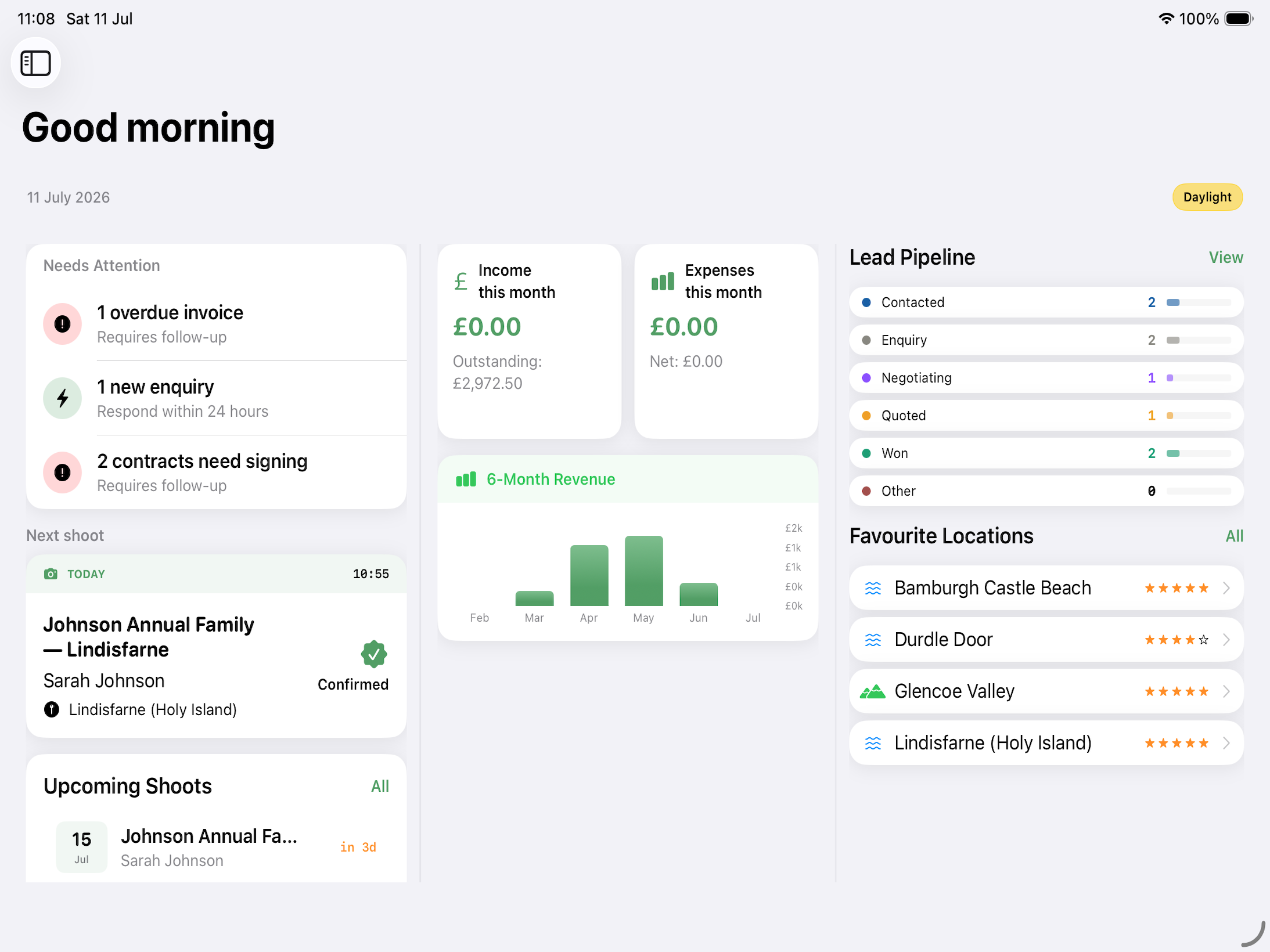
On iPad and Mac, the dashboard uses a multi-column layout:
- Left column: KPI stat cards (bookings this month, revenue, expenses, outstanding invoices)
- Centre: Revenue trend chart (line graph by week/month)
- Right panel: Pipeline summary showing lead stages and upcoming bookings list
Contracts With No Booking
Occasionally Needs Attention reports a contract that is not linked to any booking — usually one left behind when its booking was deleted.
These are worth clearing, because a contract is only ever opened from its booking, so one belonging to no booking appears nowhere else in the app. Tapping the row opens Unlinked Contracts, which lists each one with its template, status, client and date, and offers two ways out:
- Attach to Booking — pick the shoot it belongs to. Only bookings without a contract are offered, since a booking holds one contract at a time.
- Delete — removes it for good, and says so first. If it holds a PDF, that is the only copy.
Greeting
The dashboard shows a time-appropriate greeting (Good morning / Good afternoon / Good evening) personalised with your name if set in Company Settings.